Before you start
0 / 3
- A connected WhatsApp number
- A Phone field on your contact form
- For an import, a file with a yes / no column
Ask on your forms
In E-Card → Contact form, switch on Ask for WhatsApp offers. It adds a tick box under the phone number: "Send me news and offers from Sunrise Café on WhatsApp. I can stop them any time." It stays unticked until the visitor ticks it. Your booking page has the same switch, in Appointments → Settings.
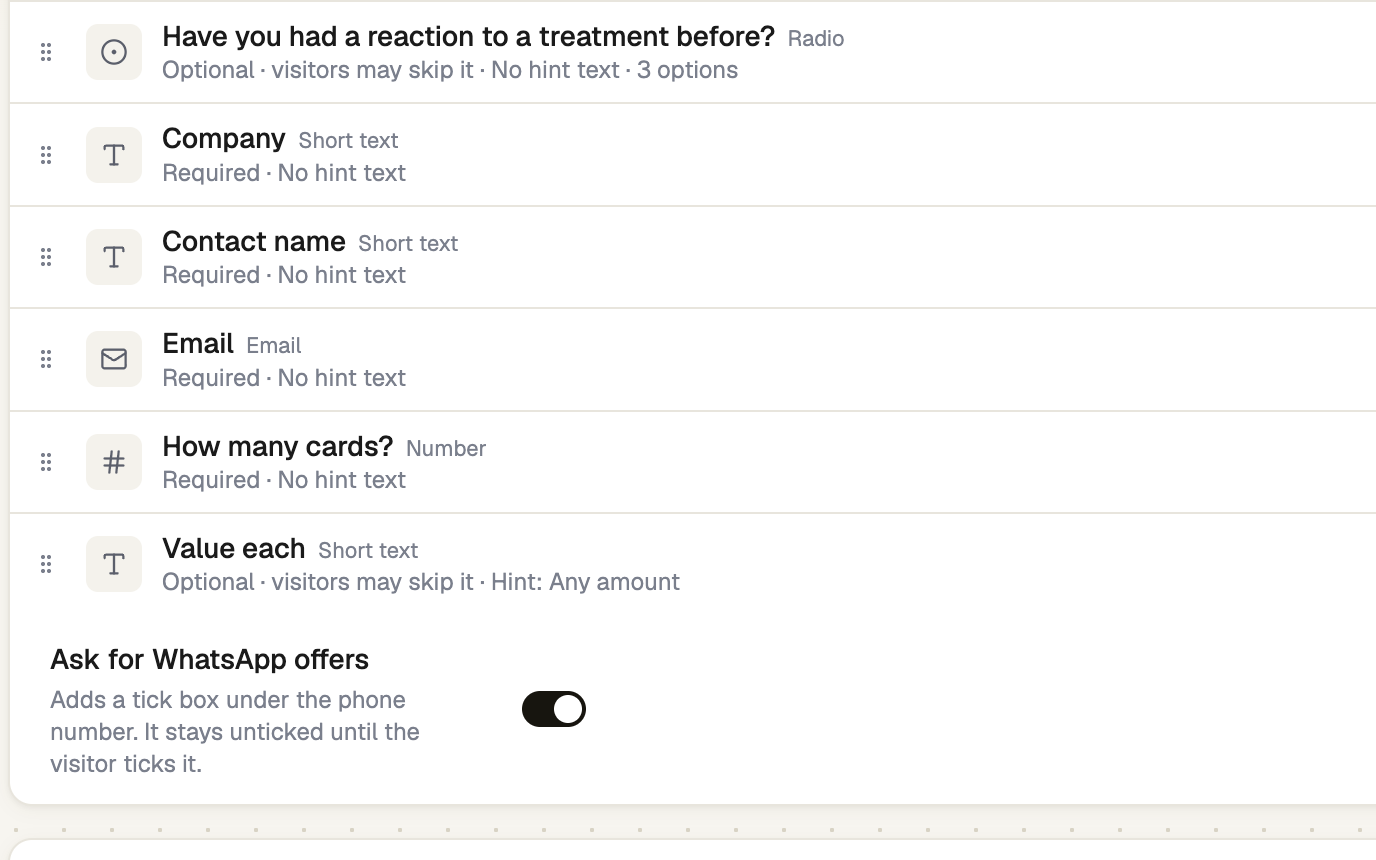
Import who agreed
In Contacts → Import, map a column to Agreed to WhatsApp offers (yes / no). Then tick the line confirming that everyone marked yes agreed to WhatsApp messages from you.
Ask in a chat
In the Inbox, open a conversation's ··· menu and choose Ask for WhatsApp offers. It sends a Yes / No question, and their tap is recorded. You can only ask while they've written to you in the last 24 hours.
Record a yes given elsewhere
On a contact's panel, under WhatsApp offers, open Change, choose They agreed… and say how: In person, On a call, In writing or Somewhere else.
Only mark people who told you they want WhatsApp messages from you. People who didn't ask report you, and Meta can limit your number.
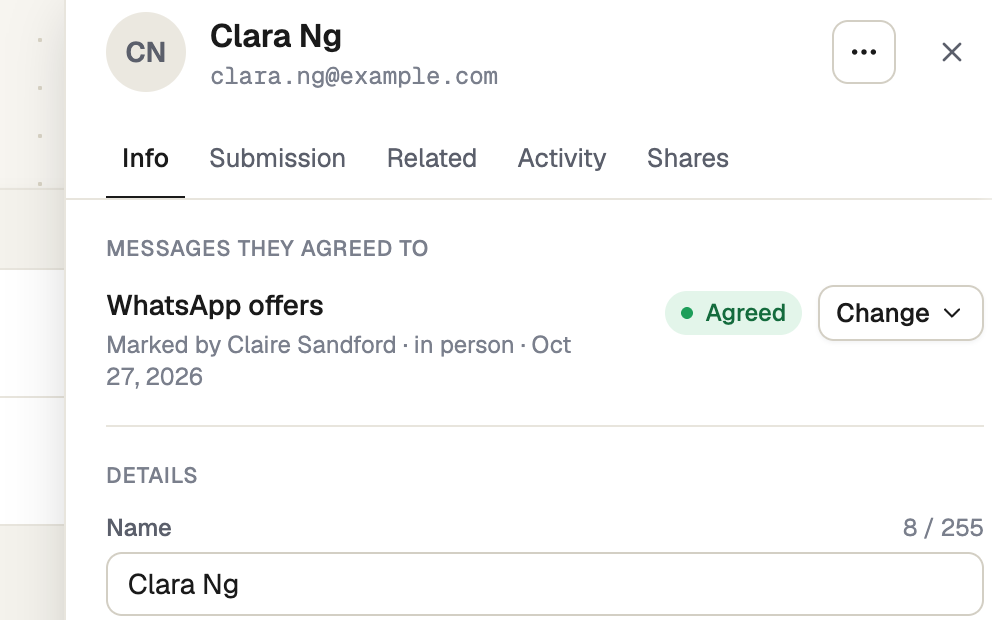
See who agreed, and who said no
In Contacts → Filters, WhatsApp offers shows Agreed, Said no or Not yet. A contact's panel shows how and when they answered. Someone who taps Stop promotions, replies to stop, or turns offers off in WhatsApp is marked Said no, and no broadcast reaches them. Only they can turn offers back on.
If it doesn't work
| What you see | What to do |
|---|---|
| "Add a Phone field first." | The tick box sits under the phone number. Add a Phone field to the form. |
| "Only while they've written in the last 24 hours" | Wait for them to write to you, or ask on a form instead. |
| "This number doesn't look valid. Check it to record their answer." | Correct the contact's phone number, with its country code. |
| "Sarah Collins turned off offers in WhatsApp" | Only they can turn offers back on, by tapping Yes, send me offers in a chat, or in WhatsApp. |
Next
- Send a WhatsApp broadcast — send to everyone who said yes
- Message templates — Marketing templates need Stop promotions