Before you start
0 / 3
- Accept appointments switched on, with your booking page Live
- Your AI trained on your business in Train AI
- A connected WhatsApp number, if you want this on WhatsApp
Choose where the AI may offer booking
In Appointments → Settings, under Where people can book, switch on Your card's AI chat, WhatsApp AI and Website chat AI as you need. Each has its own switch, and a row appears only if your plan includes booking there. Press Save settings.
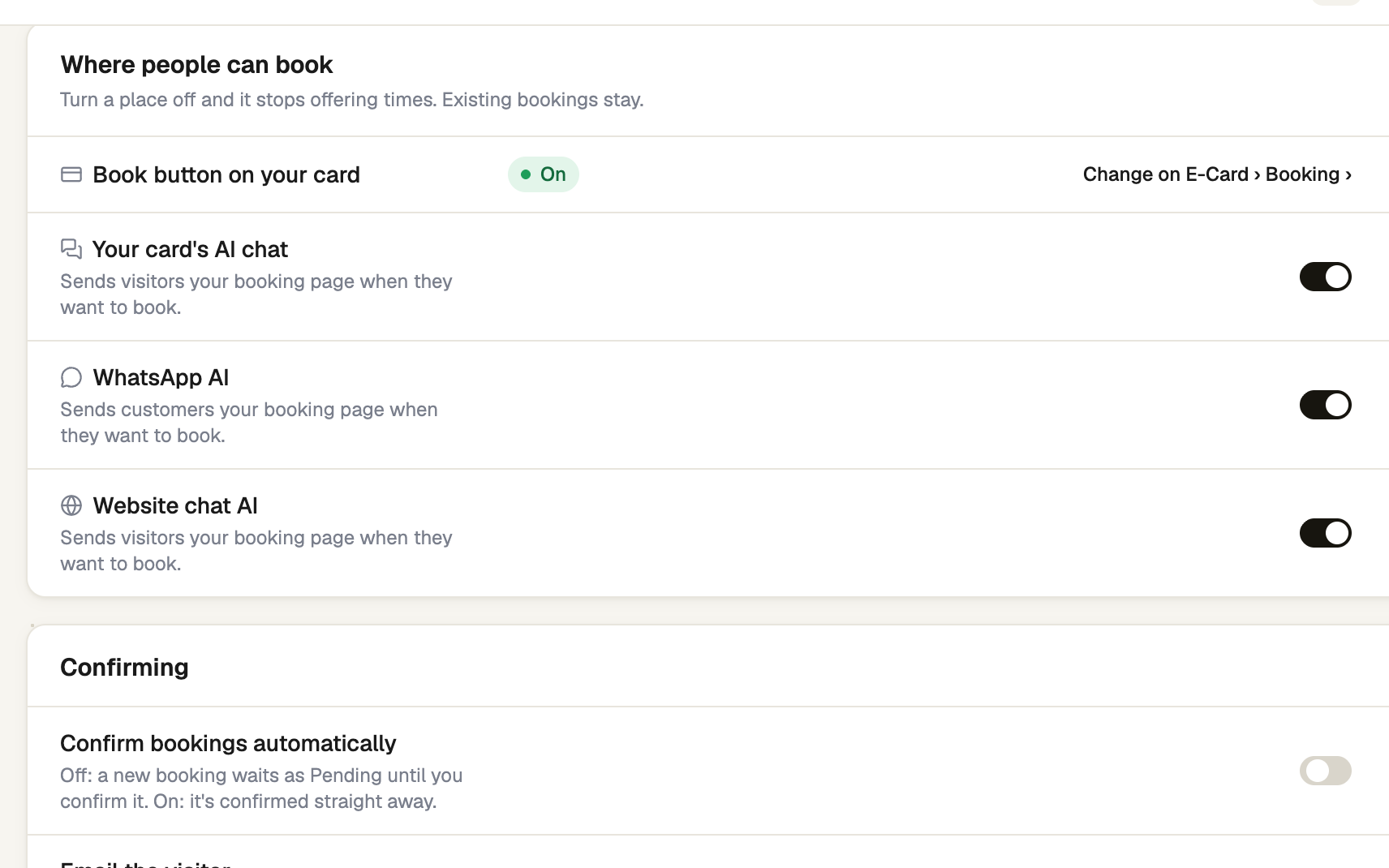
Know what the AI does
When someone wants to book, it replies with your booking page link and asks them to pick an open time there. It never books by itself, never suggests or promises a time, and never says a booking is confirmed. To change or cancel one, it tells them to contact you.
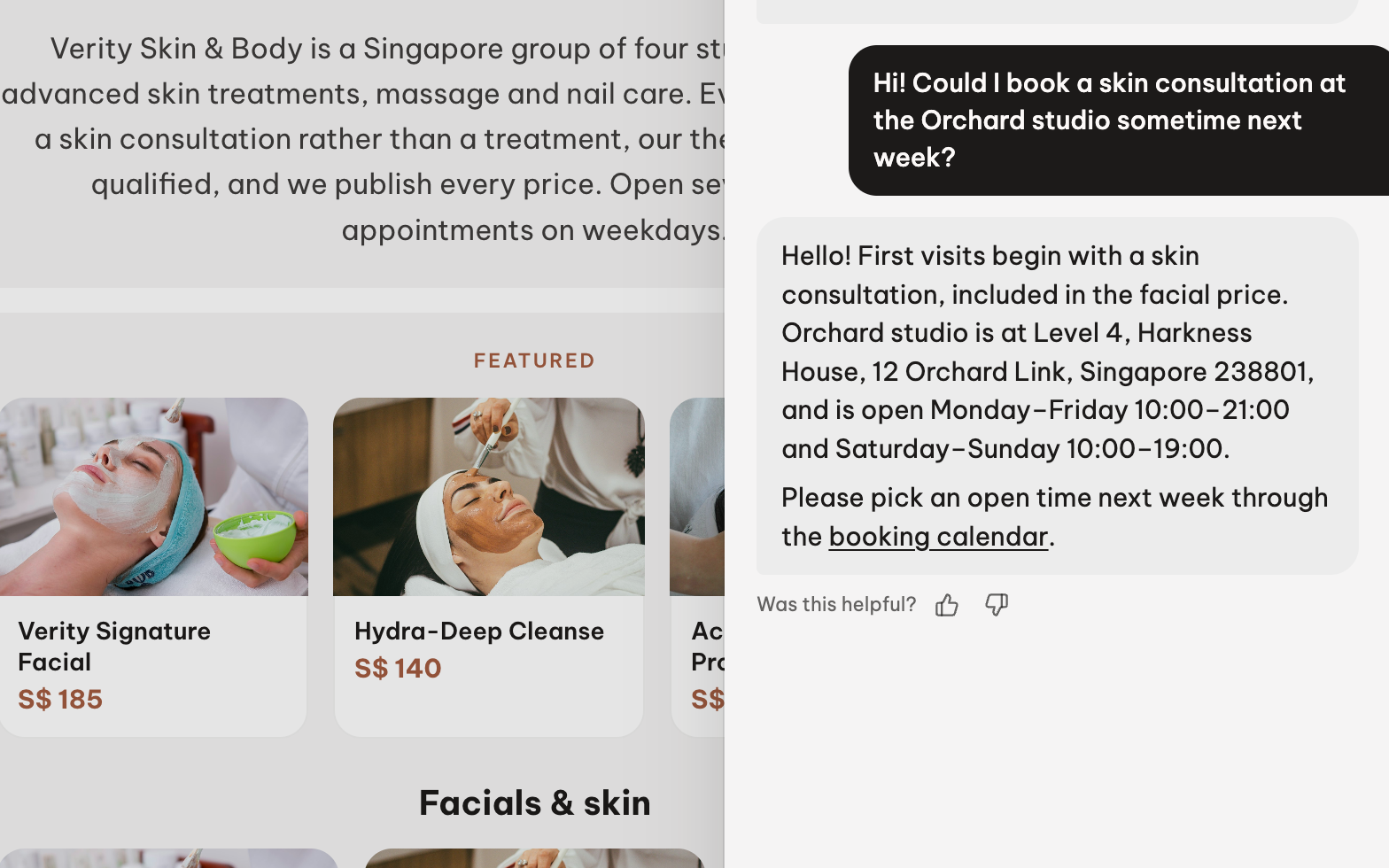
Know what the customer gets afterwards
When they book from that link, the AI thanks them in the same chat, in its own voice and their language, and repeats the day, date, time and what they booked. If you confirm by hand, it says the booking is being confirmed. This message uses no AI credit, and it arrives only if they book within 30 days of getting the link.
Find the booking in Appointments
It is marked Booked by the AI. For WhatsApp, Open WhatsApp thread jumps to the chat.
Behaviour → Sales rules → Offer to book when decides how soon the AI brings booking up.
If it doesn't work
| What you see | What to do |
|---|---|
| "Needs a connected WhatsApp number." | Press Connect › and connect one first. |
| "Booking is on, but nothing offers it." | Turn on at least one place under Where people can book. |
| "Booking is off." | Switch Accept appointments on and save. |
Next
- Your booking page — the page the AI sends
- Shape how the AI talks — including when it offers to book