Before you start
0 / 3
- A chat the AI is answering, or one it has handed to your team
- Reply access to the WhatsApp number (view-only readers can't take over)
- Alerts on, so you hear about handovers: Notifications
Spot a chat that needs a person
When the AI hands a WhatsApp chat over, you get a pop-up ("… needs a human on WhatsApp") and an email to whoever is listed under Settings → Notifications → AI hands off to a person. The row says Unassigned, and the chat shows "The AI handed this chat to your team." The AI stays quiet there until someone takes it over.
On E-Card and website chats the AI also alerts you, but it keeps answering until someone takes the chat.
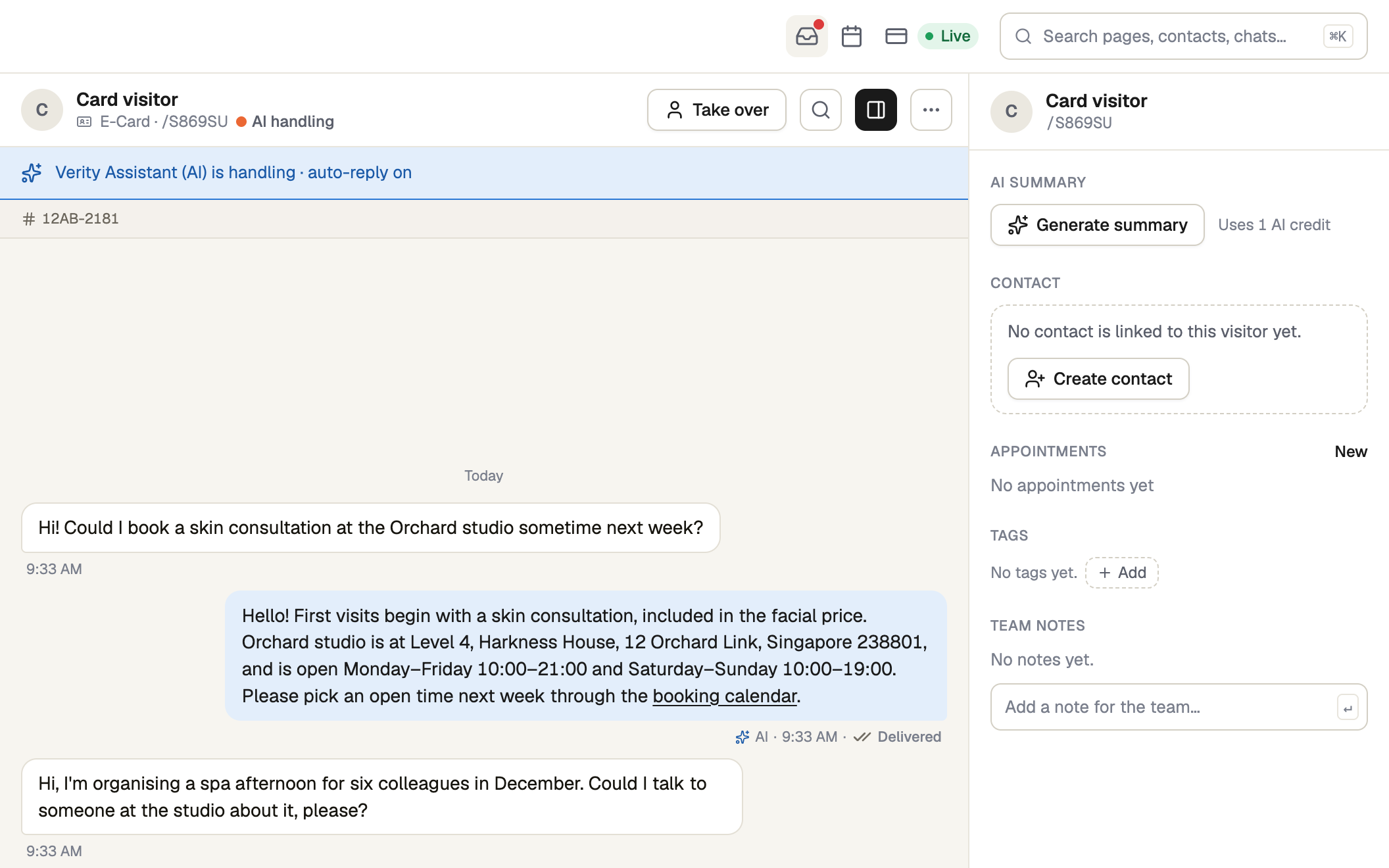
Press Take over
It's in the conversation header (phone: ··· → Take over). The AI stops in this chat only.
- WhatsApp: the customer is sent nothing. You become the chat's owner, or one of its assigned people if a colleague already owns it (Owner and assigned teammates).
- E-Card and website chat: the visitor sees your name with "joined this chat", then "is replying…" for as long as you are handling it.
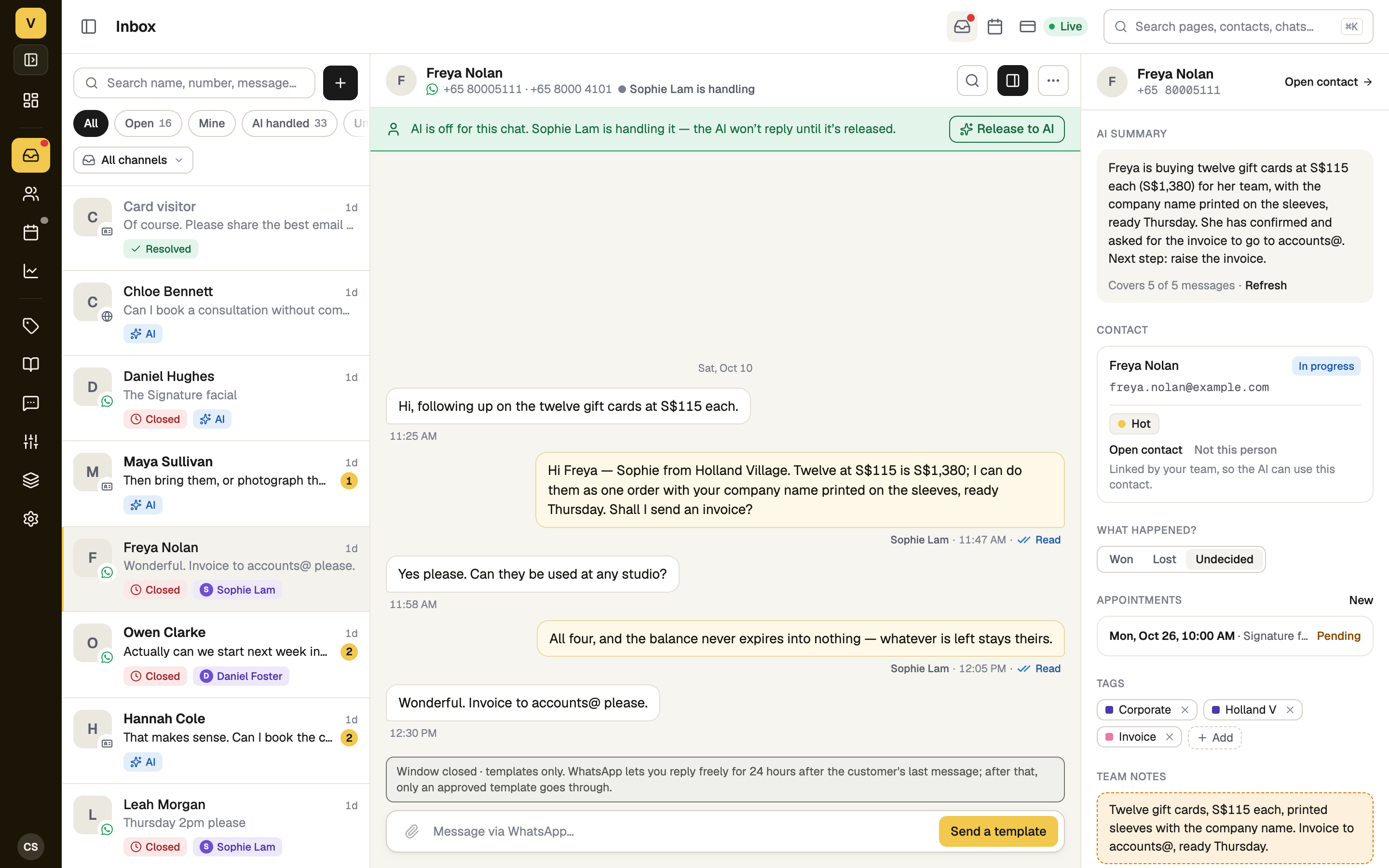
Hand it back with Release to AI
Press Release to AI in the strip under the header (phone: ··· → Release to AI). The AI picks up from the customer's next message. Anyone who can answer in the chat can release it, even one a colleague is handling; the strip names who. E-Card and website visitors see "handed this chat back to the assistant".
While you are handling a chat the AI says nothing in it. Release it when you're done, or the customer waits for an answer nobody is sending.
If it doesn't work
| What you see | What to do |
|---|---|
| "Somebody else is already replying to this chat, or it has ended." | A colleague took it first, or the chat is over. The strip under the header shows who has it. |
| "Somebody else is replying to this chat. Ask them to release it first." | Ask them, or press Release to AI yourself if they have gone home, then Take over. |
| "You have view-only access to this WhatsApp account and cannot send messages." | Ask the owner for reply access under Integrations → WhatsApp → Access. |
| There is no Take over button | The chat has ended, or its WhatsApp number is disconnected. |
Next
- Owner and assigned teammates — put the right person on a WhatsApp chat
- End or reopen a conversation
- Auto-reply, or suggest a reply — decide how much the AI does by itself