Before you start
0 / 3
- A plan to pay for, because a new business starts on a paid plan, not a trial
- A card to pay with at checkout
- A name and a way to reach the business, which you add after paying
Choose New Workspace in the business switcher
Open the business switcher at the top of the sidebar (at the top of Menu on a phone) and choose New Workspace, marked Paid plan. Nothing is added to your list until you pay.
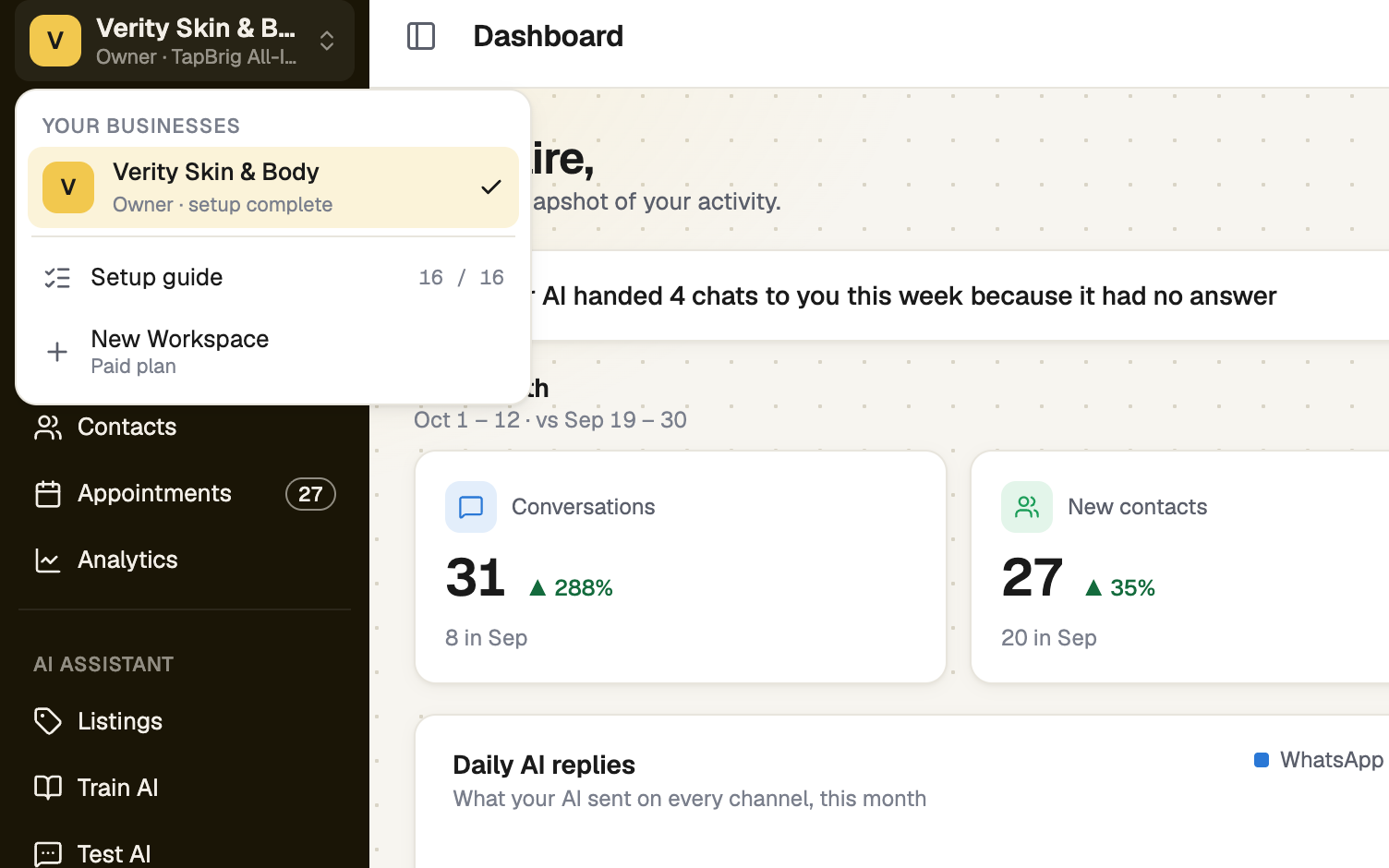
Choose a plan for the new workspace
The plans page opens with "Choose a plan for your new workspace." Pick a product and a tier, then press Subscribe.
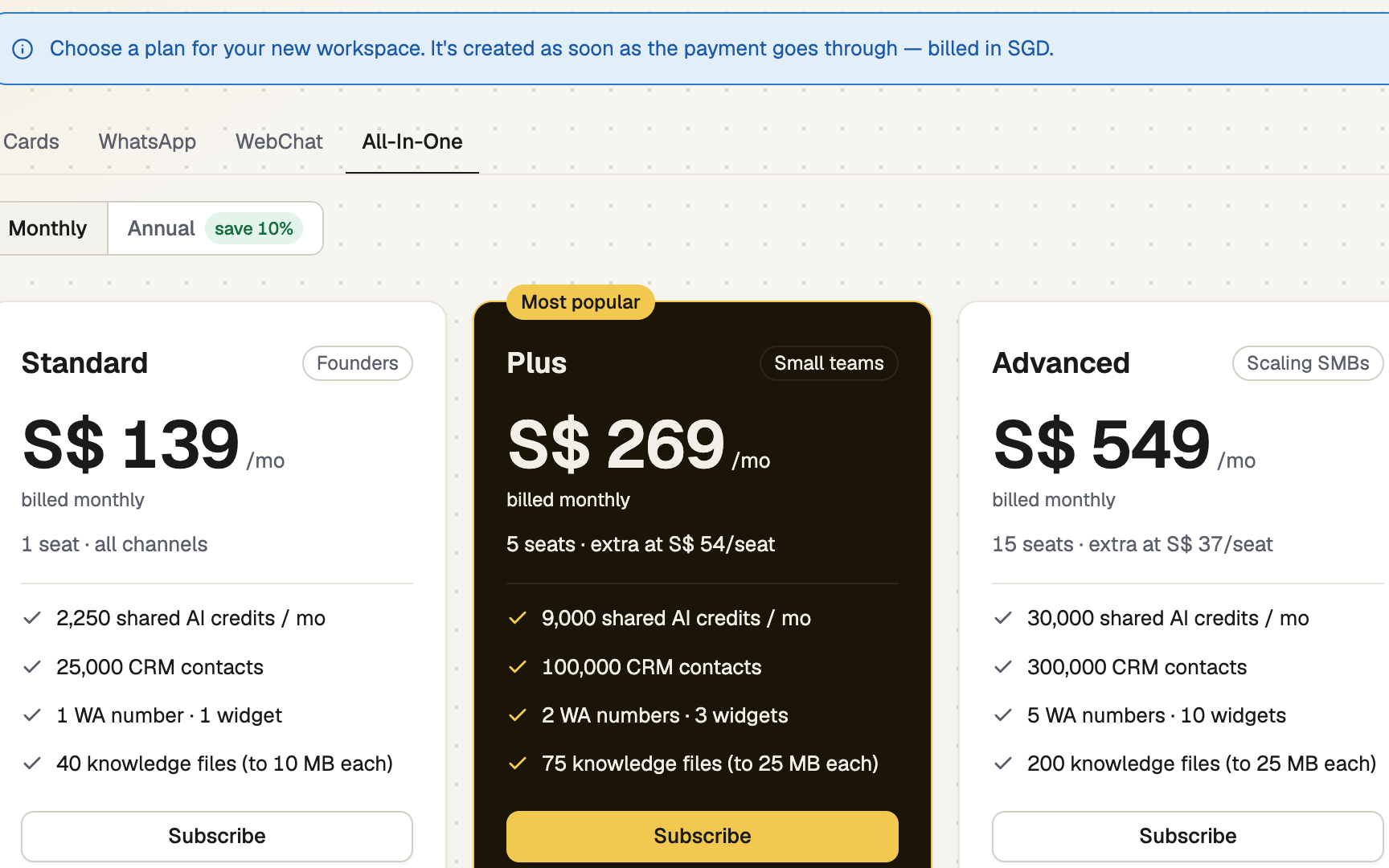
Pins 2 and 3 are on the same screen.
Pay at checkout
The workspace is created as soon as the payment goes through, and you are switched into it. If you leave before paying, nothing is created.
Its country comes from the business you started from, and this first payment fixes it.
Give it a name and contact details
After paying you reach New Workspace: Basics, Contact details, Review. Until you name it, the business reads New business. Press Save details. You can change the details later in Business profile.
screenshot · New Workspace details page asking for a business name after payment · 1440 × 900
Switch between your businesses
Open the business switcher again and pick one. You land on that business's Dashboard. Each row shows your role and how far Setup has got.
How workspaces fit together
- Each workspace has its own plan, bill, card, AI, Inbox, contacts and team.
- The free trial is for your first business. Joining someone else's business adds theirs to your list, with your role in it.
- Your own workspace stays yours. Settings → Your workspace lists the others and lets you switch or leave.
- People belong to a workspace, so invite each person to the business they work in.
If it doesn't work
| What you see | What to do |
|---|---|
| "Couldn't start a new workspace." | Press Try again |
| "This is taking longer than usual. Your payment is safe — your workspace will appear in the business switcher in a moment." | Wait a little, then press Check again |
| "Couldn't save the details." | Press Save details again, or add them later in Business profile |
| "You've reached the maximum number of workspaces you can own." | That is the most businesses one account can own |
Next
- Your plan and your bill — each workspace has its own
- Invite your team — people join one business at a time
- Join a business you work for — when someone else runs it