Before you start
0 / 3
- Your usual week: the days you open, and from when to when
- Your time zone, which sits on the same page
- Permission to edit the business profile, if you aren't the owner
Open Settings → Business profile
Find the Opening hours card. It reads No opening hours yet. until you set some.
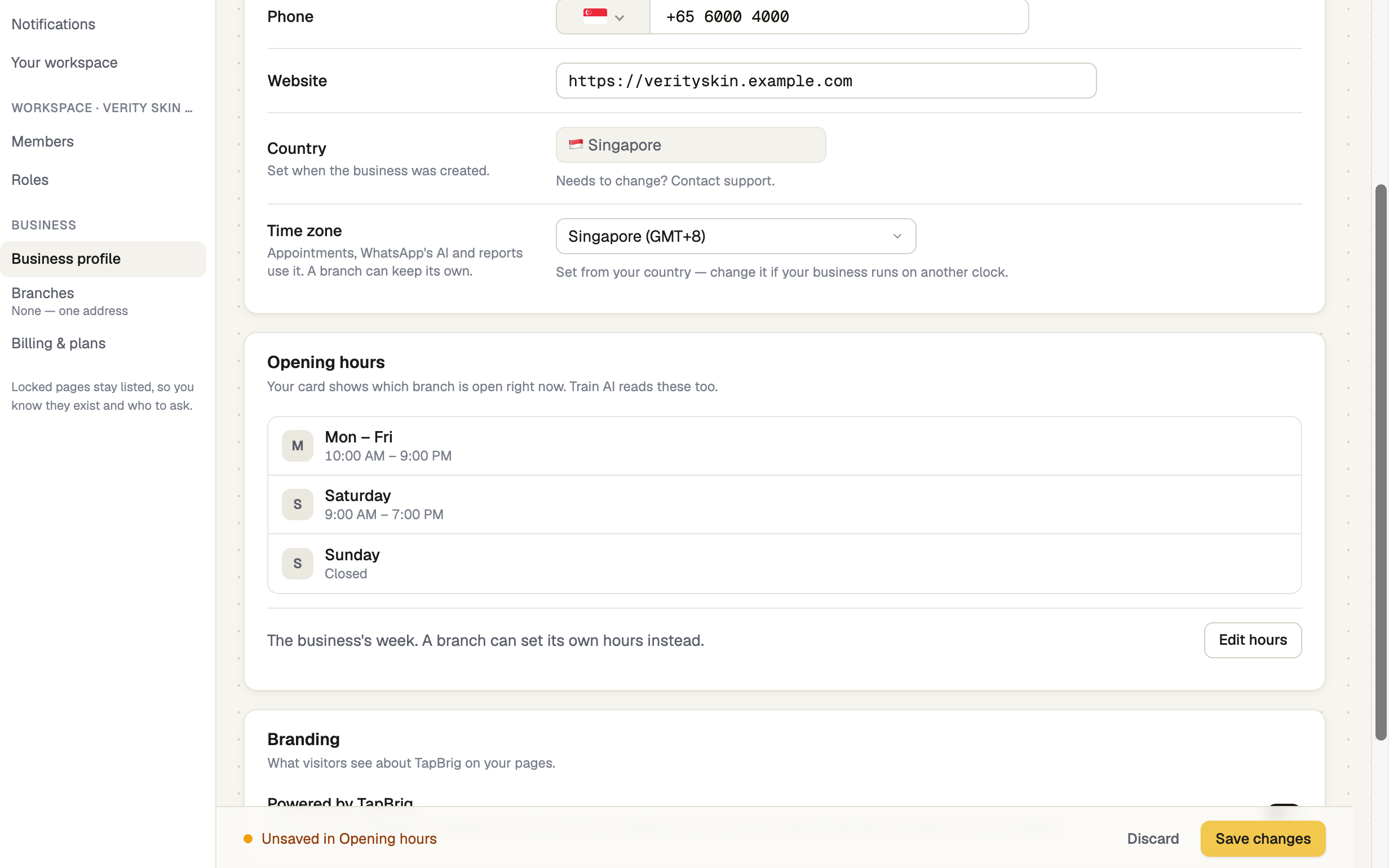
Press Set hours
The button says Edit hours once you have some. For each day, switch it on or off and set when it opens and closes. Copy Monday to all open days saves retyping. Press Done.
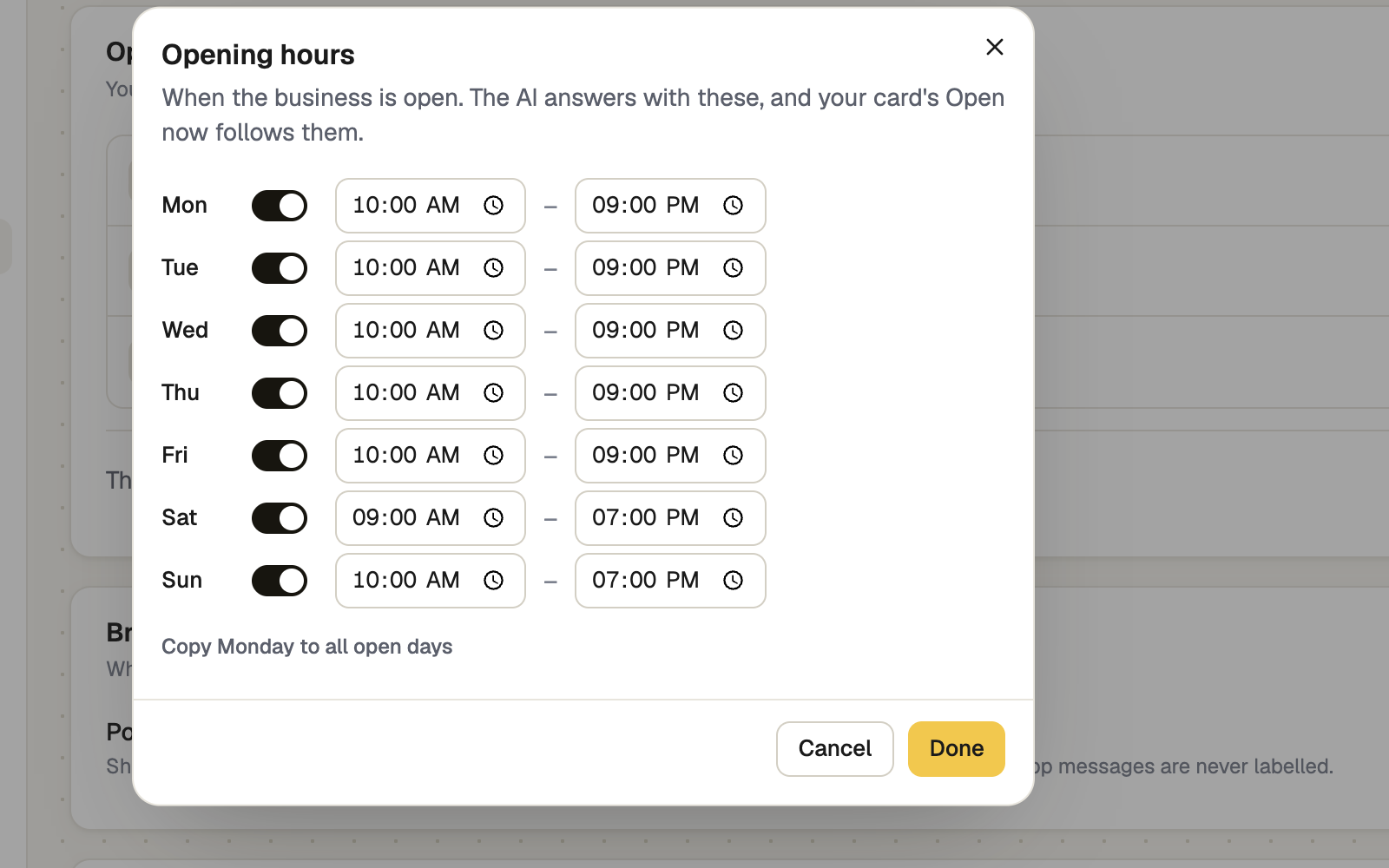
Press Save changes
Done only closes the window. Nothing is saved until you press Save changes. Then Setup ticks Opening hours.
Times follow the business's time zone, set higher up on the same page. A branch can keep its own hours.
Where your hours are used
| Where | What it does |
|---|---|
| Your AI | Answers "are you open?" on every channel |
| Your card | Lists the hours under Details and, on layouts with a cover, shows Open now or Closed. Switch both off with Opening hours on your card in the card editor |
| The After hours reply mode sends on its own when you are closed and drafts when you are open | |
| Behaviour | The After hours handoff message is used outside these hours |
Booking times are separate. Set them in Appointments → Settings, under Weekly availability.
If it doesn't work
| What you see | What to do |
|---|---|
| "Needs opening hours" | WhatsApp After hours can't tell when you're closed. Set your hours here |
| "No opening hours set — nothing counts as after hours until they are." | Behaviour is waiting for the same hours. Set them here |
| No Open now on your card | Check the hours are saved and Opening hours on your card is on. Layouts without a cover list the hours only |
Next
- Branches: more than one location — each shop can keep its own hours
- When you are available — booking times are set separately
- Shape how the AI talks — including the after-hours message