Before you start
0 / 3
- A WhatsApp number that is connected and live
- Your AI trained on your business in Train AI
- Another phone to send a test message from
Open Integrations → WhatsApp → AI replies and pick the number
Each number has its own settings and saves on its own. A new number starts Off, and switching it off again does the same: messages reach the Inbox, but nothing is drafted or sent.
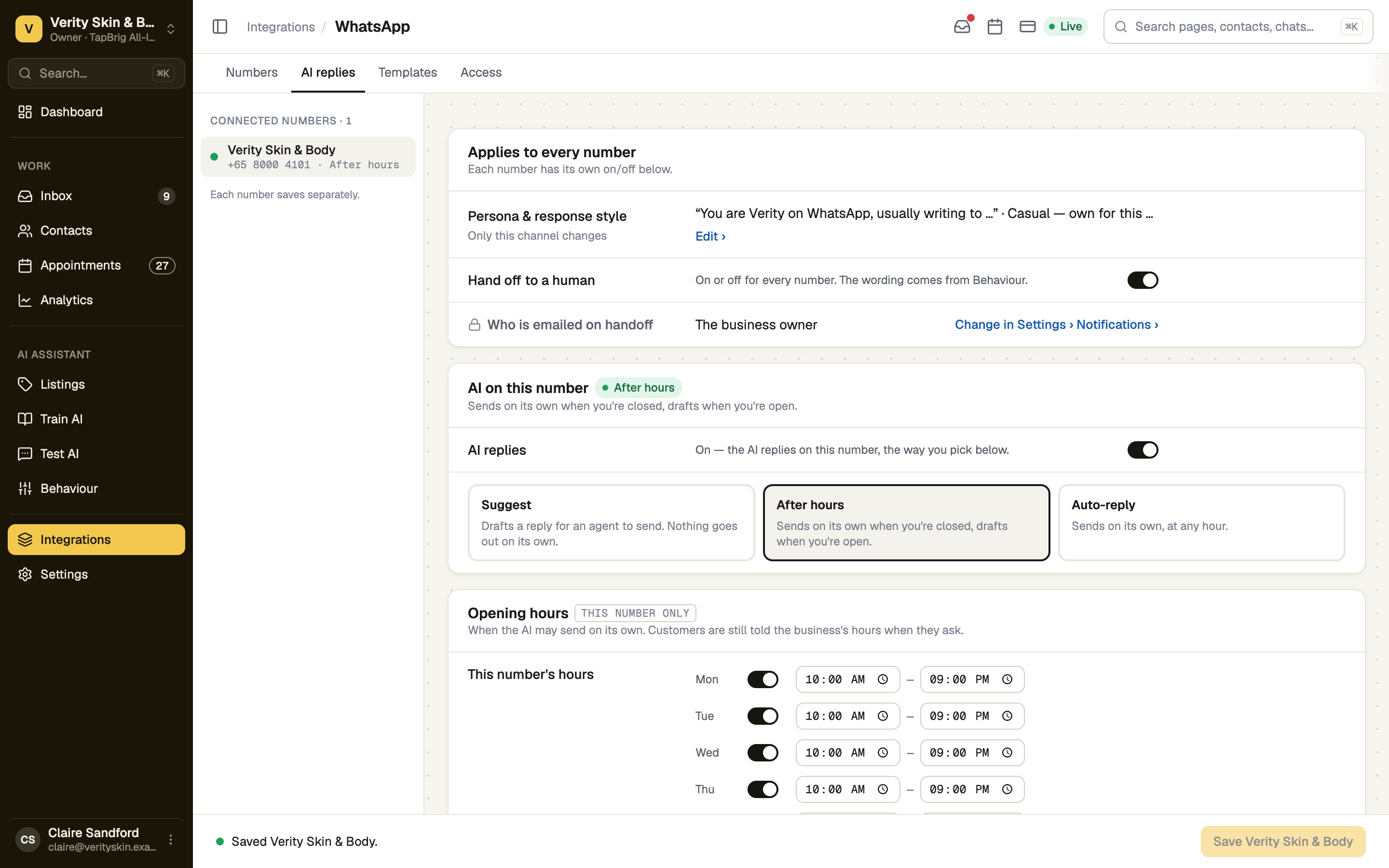
Switch AI replies on and choose a mode
| Mode | What it does |
|---|---|
| Suggest | Drafts a reply in the Inbox. Nothing goes out until someone presses Send. The safe first move. |
| After hours | Sends on its own when you're closed, drafts when you're open. Needs opening hours. |
| Auto-reply | Sends on its own, at any hour. |
Save the number
Press the Save button at the foot. It names the number, for example Save Sunrise Café. After hours reads the hours in your Business profile, or hours you set for this number only.
Message the number from another phone
In Setup, press Start the test on Message it from another phone, then send your number a message. The test passes when the AI replies, or when you send its draft in Suggest mode.
In the two sending modes, once you reply to a chat yourself the AI stops answering it until you press Release to AI.
screenshot · Setup live test waiting for a WhatsApp message · 1440 × 900
If it doesn't work
| What you see | What to do |
|---|---|
| "Not in your plan." | The AI on WhatsApp needs a plan with WhatsApp AI. |
| "The AI has nothing to answer with yet." | Teach it in Train AI. An untrained AI doesn't answer. |
| "Registration missing — the AI can't send until the number is live." | On the Numbers tab, press Register and enter the PIN. |
| "No opening hours are set, so After hours can't tell when you're closed." | Press Set hours, or pick another mode. |
| "We haven't seen a message" | The number may not be registered with Meta yet, or the message went to a different number. |
Next
- Message templates — reach a customer after 24 hours of silence
- Taking over a conversation — answer a chat yourself