Before you start
0 / 3
- The Manage WhatsApp numbers permission; the owner has it
- Room for another number in your plan's allowance
- A Meta Business account and a number that can get an SMS, as for your first
See your numbers
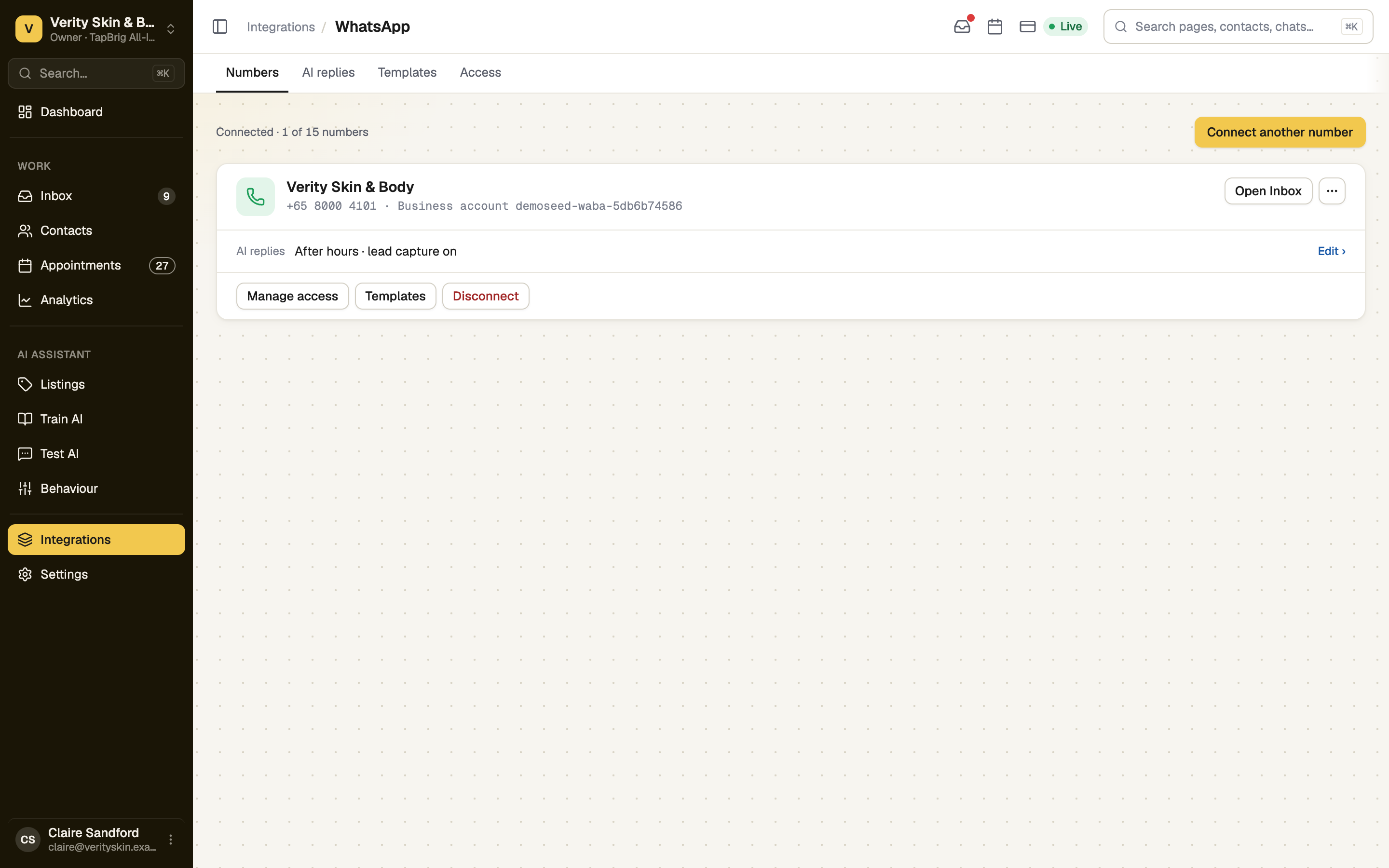
Open Integrations → WhatsApp. Each number has a card: Live, or Connected, not live until it has its PIN; Also on your phone if it stays on the Business app; and its AI reply mode. The header counts your numbers against your plan's allowance.
Add another number
Press Connect another number and follow Connect your WhatsApp number. At your plan's limit, a window offers three ways to make room: upgrade the plan, Buy 1 more number, or disconnect one with Manage numbers. Only the owner, or a role with Manage billing, can upgrade or buy.
Switch between numbers
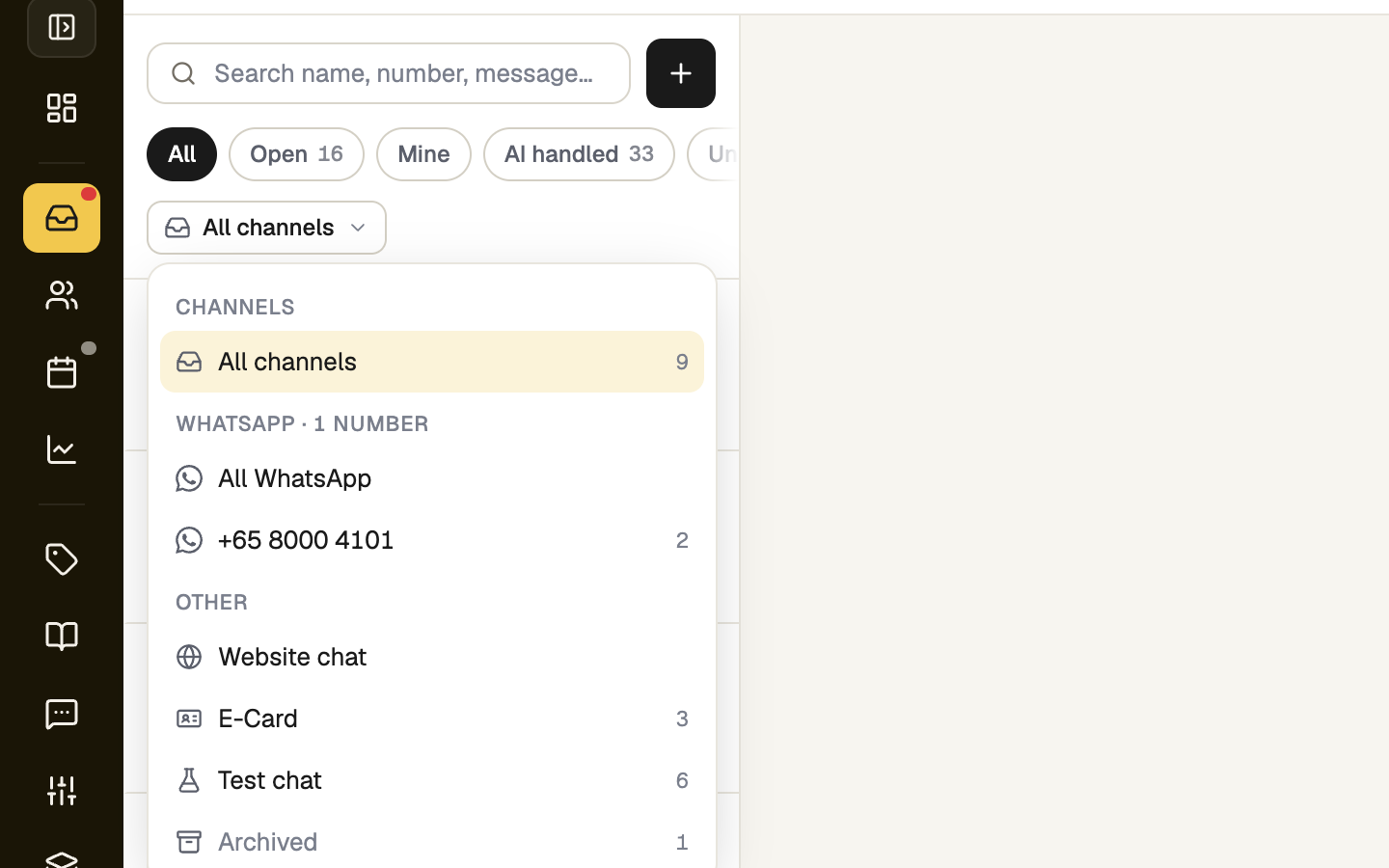
- Inbox: the scope button under the filters lists each number under WhatsApp. Pick one to see only its chats. New WhatsApp chat has a From list.
- AI replies: pick the number on the left. Each saves on its own, and Copy settings from… copies the mode, replies and lead capture, not the hours.
- Templates has a number picker at the top. Access lists every number with Manage access.
Disconnect a number
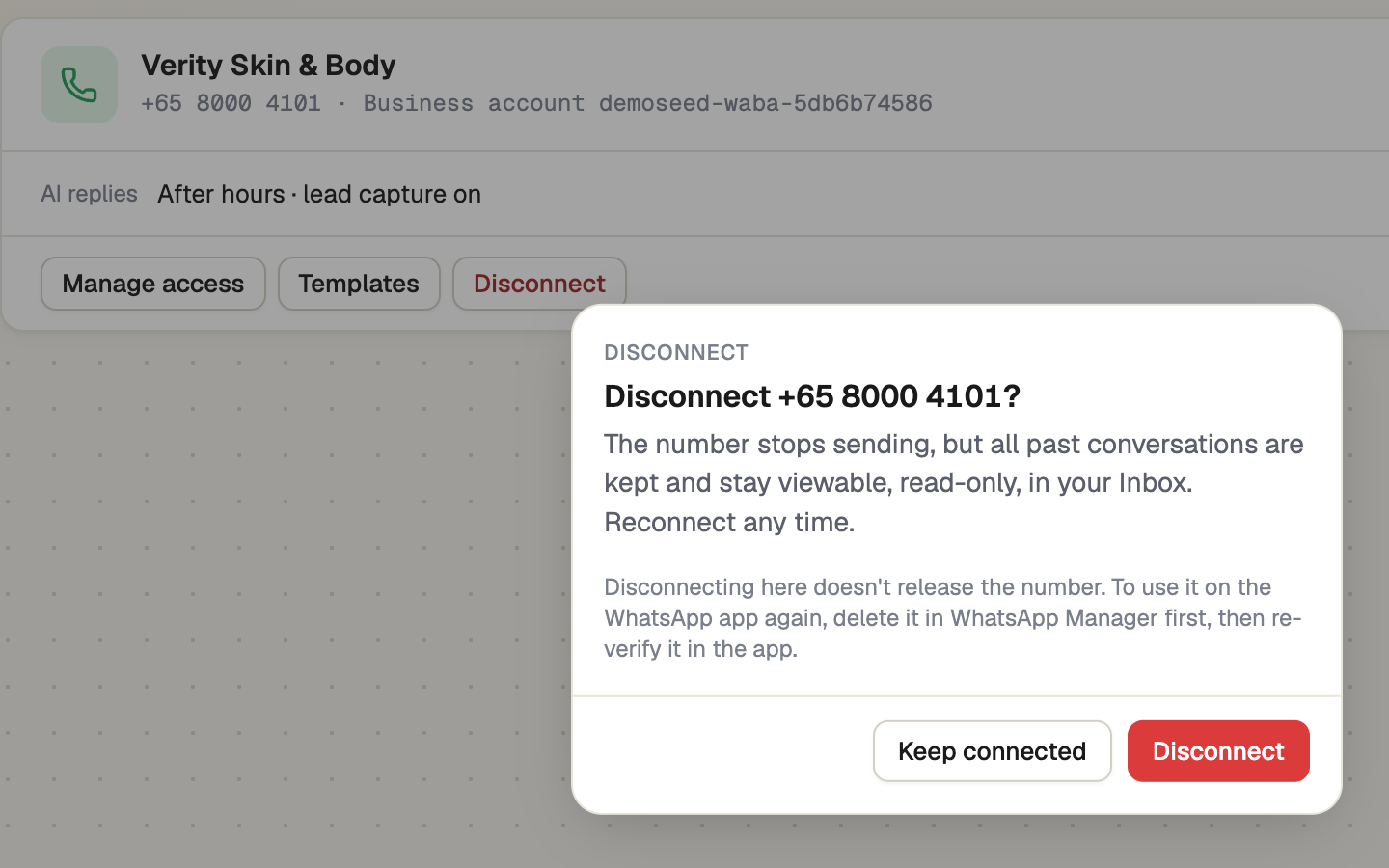
Open the ⋯ menu on its card, press Disconnect, then confirm. The number stops sending, its chats stay in the Inbox read-only, and its card moves to Disconnected with View history and Reconnect.
Disconnecting here doesn't release the number. To use it on the WhatsApp app again, delete it in WhatsApp Manager first, then re-verify it in the app. A number already on the Business app stays there.
If it doesn't work
| What you see | What to do |
|---|---|
| "At your plan's limit." | All your numbers are in use. Disconnect one, buy one more, or upgrade. |
| "This number is disconnected, so nothing can be sent from it." | Press Reconnect on the Numbers tab. |
| "Connected but can't send or receive until you register it." | Press Register number and enter its PIN. |
| "Failed to disconnect" | Try again. You need Manage WhatsApp numbers. |
Next
- Extra seats, numbers and website chats — buy one more number
- Who can use which number — share a number with a teammate