Before you start
0 / 3
- The conversation open in the Inbox
- Which channel it is: ending is final on the E-Card and website chat, but only a label on WhatsApp
- Any last answer sent first, because nobody can add to an ended chat
Open the ··· menu on the conversation
On an E-Card or website chat the item is End chat ("No more messages either way. The conversation stays here to read."). On WhatsApp it is Mark resolved. They do different things, as the next steps show. Anyone who can open an E-Card or website chat can end it.
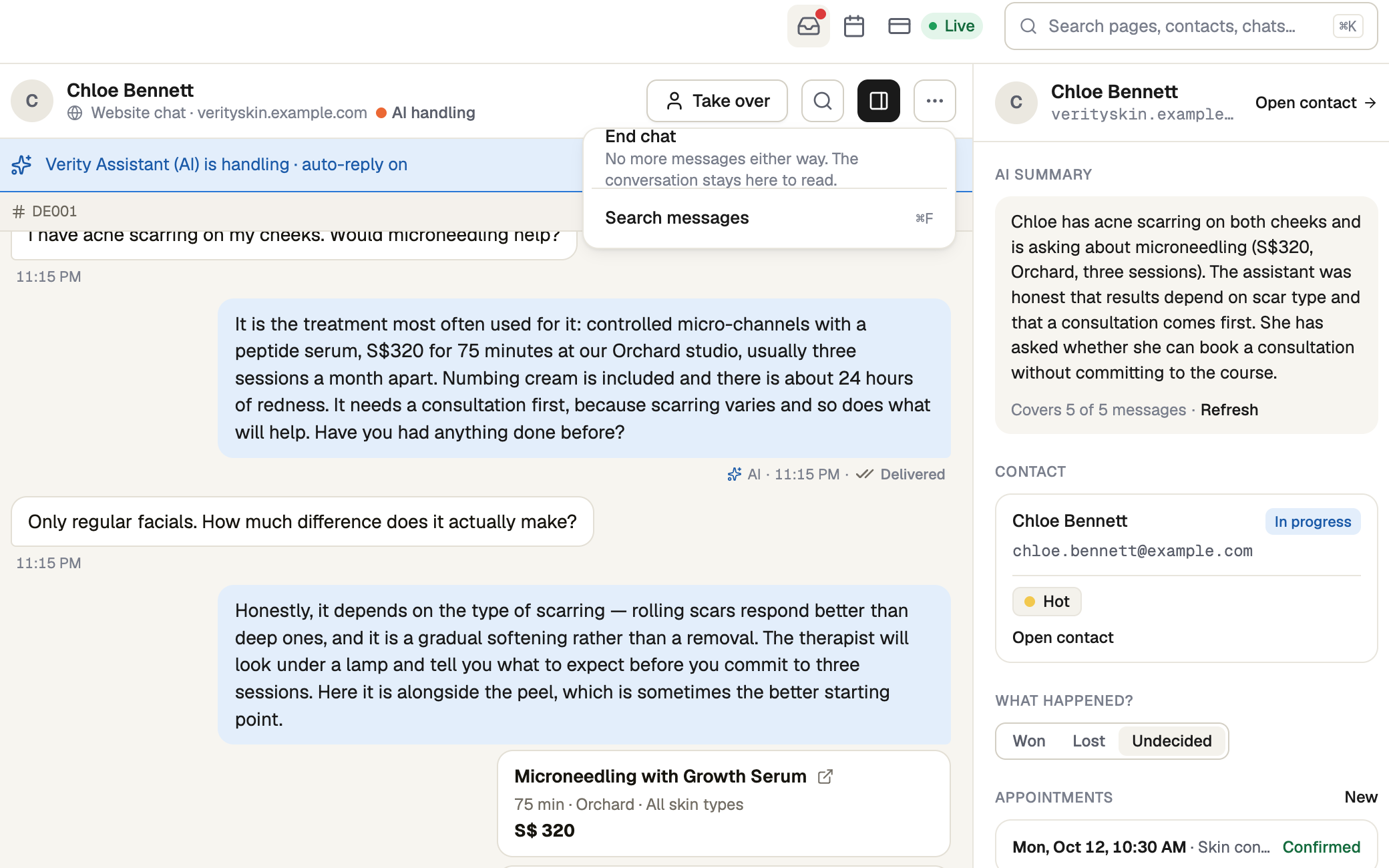
End an E-Card or website chat
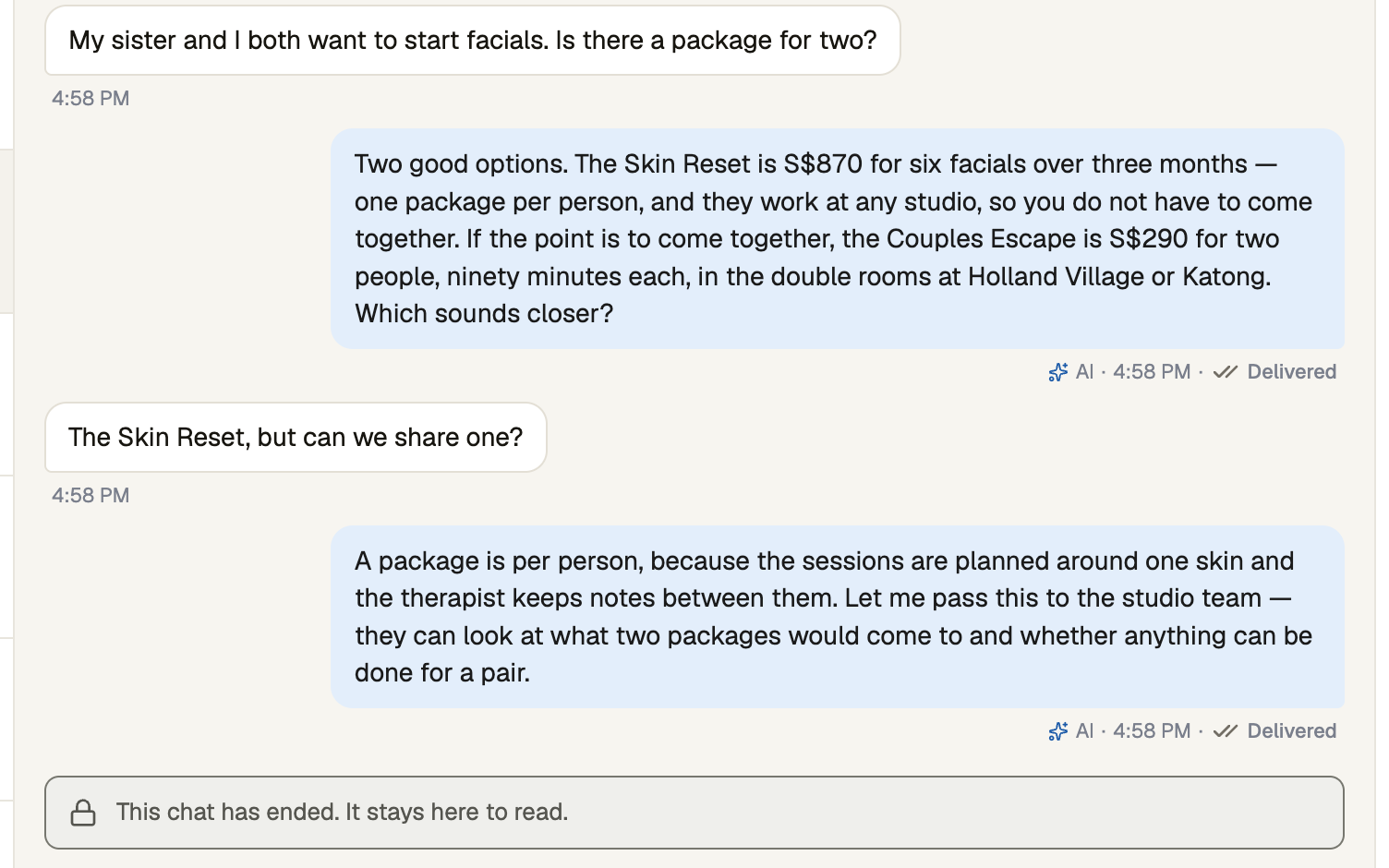
Press End chat. The message box is replaced by "This chat has ended. It stays here to read.", the bar above the messages says Ended, and the row reads Resolved and moves to Closed. The menu offers no Reopen and no Archive.
Ending is final. Neither you nor the visitor can add to that chat again.
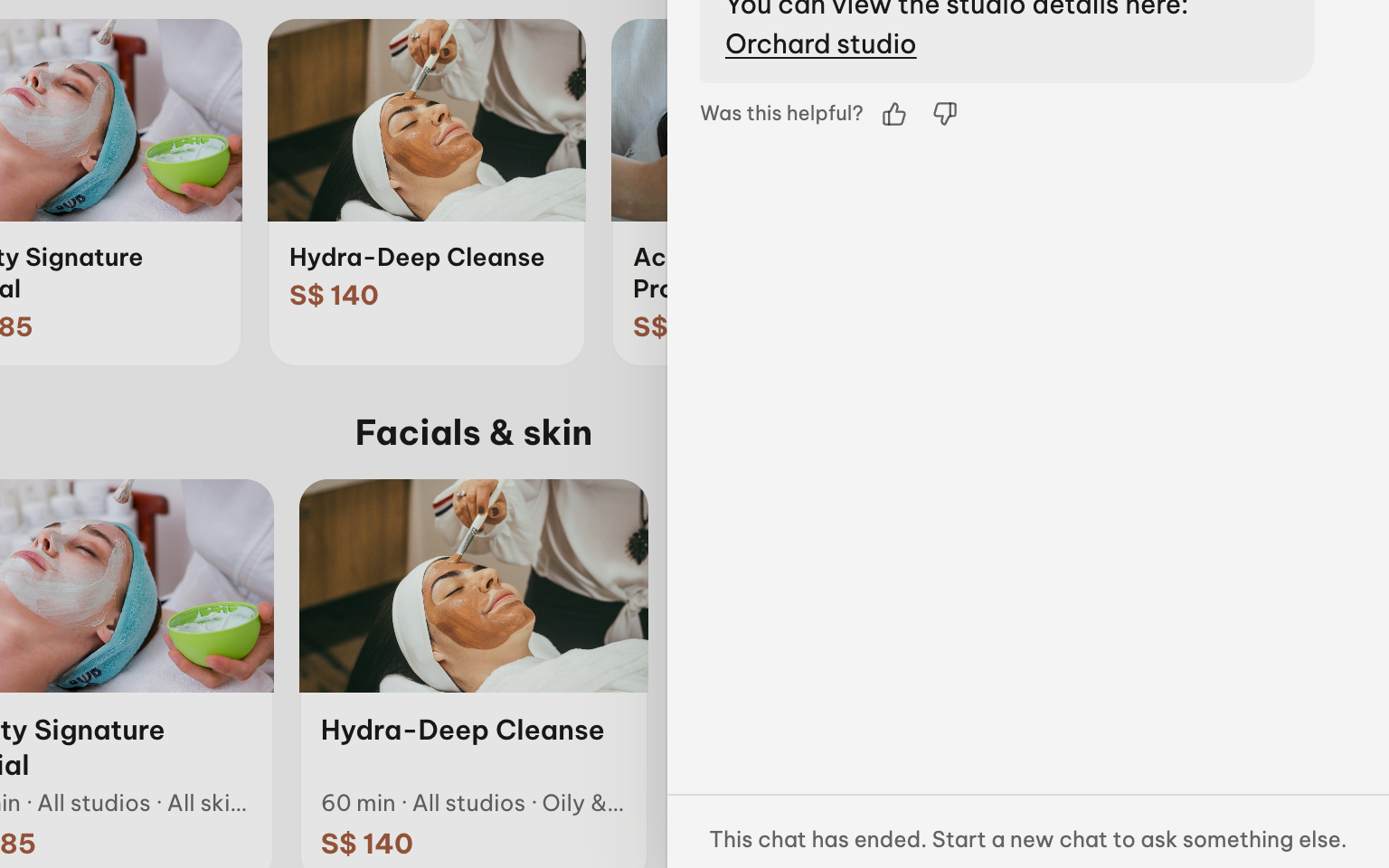
Check what the visitor sees
Their chat updates on its own. Once it does, the message box is replaced by "This chat has ended. Start a new chat to ask something else." Start a new chat begins a fresh conversation (visitors can end their own chat the same way).
If they write again, a new conversation appears in your Inbox and the old one stays as it was. For the same visitor, the bar shows Visit 2 of 2 with a link back.
Resolve a WhatsApp chat instead
Mark resolved is a label for your team, and needs reply access to the number. The customer is sent nothing and the AI is not stopped. The chat leaves Open, shows Resolved and sits under Closed. Reopen undoes it; Archive files it under Archived in the channel menu.
If the customer writes again, the chat stays resolved with a new unread count, so reopen it yourself.
If it doesn't work
| What you see | What to do |
|---|---|
| "Couldn’t update this conversation. Please try again." | An ended E-Card or website chat can't be reopened or archived; the visitor's next message starts a new one. Otherwise, try again. |
| "This chat has ended. It stays here to read." | This is where the message box was. Wait for the visitor to start a new chat. |
| There is no End chat item | The chat is on WhatsApp, which has Mark resolved, or it has already ended. |
Next
- Taking over a conversation — answer a chat yourself before you close it
- Every conversation in one inbox
- Mark a lead won or lost — record how the conversation ended