Open Setup and read the tracks
Setup sits under Dashboard, with your progress beside it, like 3 / 8. Its tracks follow what you bought: Your business, Train your AI, one for each product, then Bring your team.
Only required steps count. The AI and team tracks are optional.
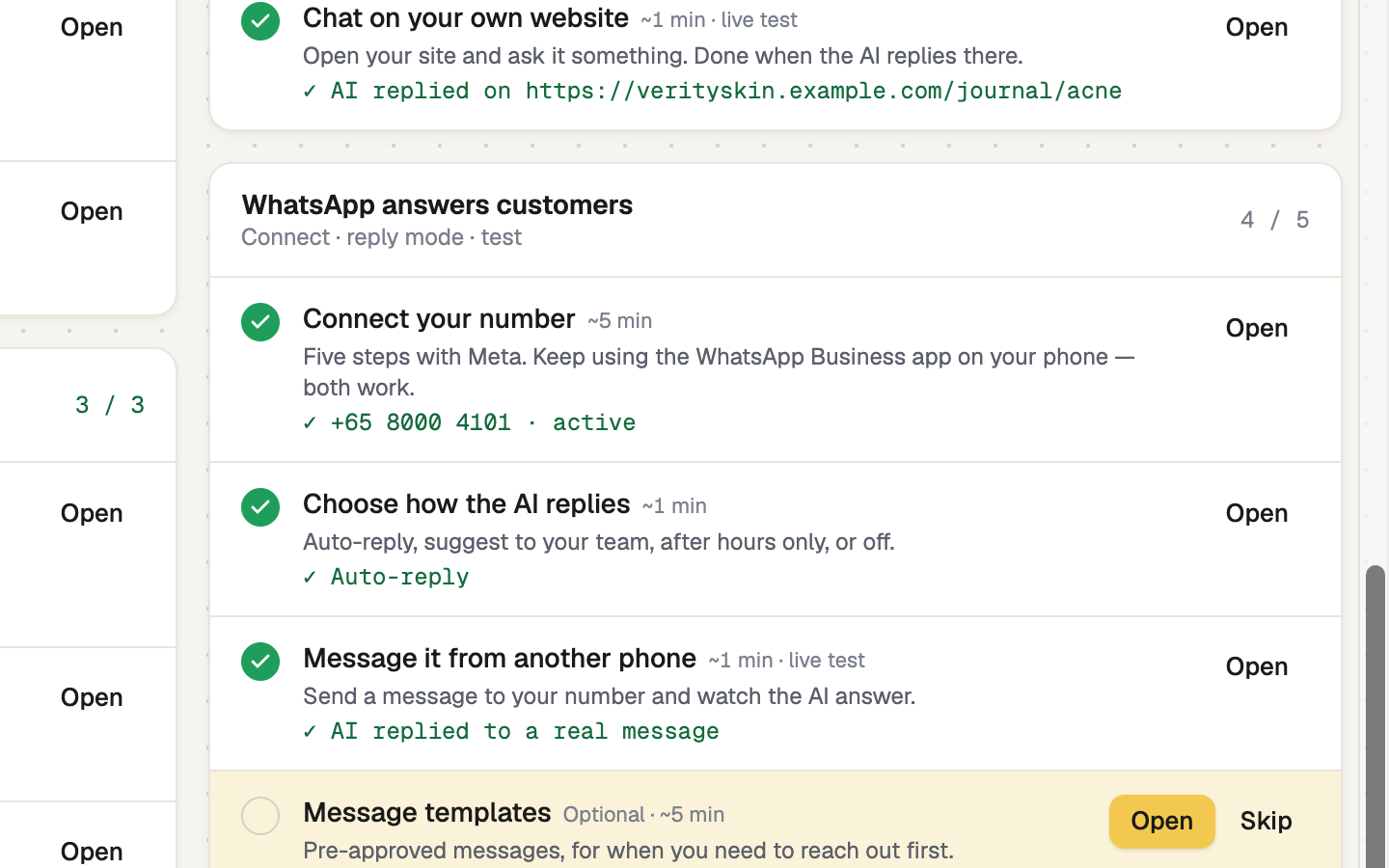
Press Open on the highlighted step
The next step is tinted gold and has the only solid button. Open takes you to the real page, with a bar on top that rings the control to use. When the step ticks itself, the bar turns green and offers Continue to the next one.
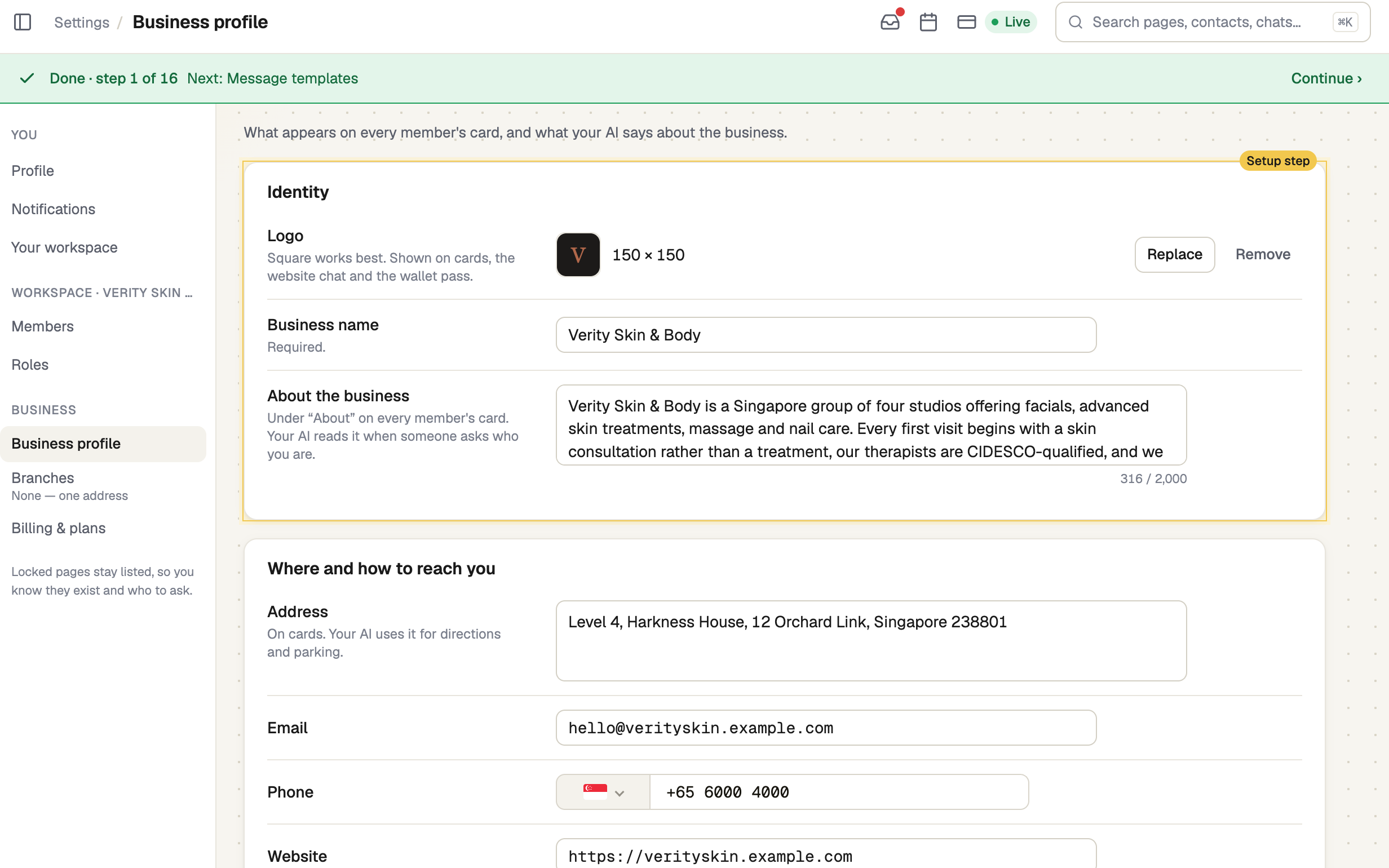
Let each step check itself
Nothing is ticked by hand. A step is done when your real data says so, like a published card, and the line under it says what was found.
- Skip sets a step aside. It counts as skipped, not done. Undo brings it back.
- Locked means the step waits for the one before it.
Finish with the live tests
The card, website chat and WhatsApp tracks each have a live test. Press Start the test, then scan the card with another phone, say hello on your site, or message your WhatsApp number from another phone.
Until your AI is trained, the two chat tests pass when your message arrives.
screenshot · Live test window waiting for a WhatsApp message to arrive · 1440 × 900
Fill in what you can from your website
If you can edit the business profile, press Fill from my website while a required step is open. Enter your website's address, such as example.com, check what it found, then press Save these. Anything already set stays.
When you are done
When every required step is done, Setup leaves the sidebar. Setup guide in the business switcher keeps it close.
If you were invited and can't edit the business profile, you see Your own setup instead: your name and photo, and your card.
If it doesn't work
| What you see | What to do |
|---|---|
| "Couldn't load your setup guide" | Your progress is safe. Check your connection and press Try again |
| "Finish the earlier step first" | Do the step above it, or skip that one |
| "We haven't seen a message" | WhatsApp test: the number may not be registered with Meta yet, or the message went to a different number |
Next
- Your business details — the first required step
- Teach the AI about your business — optional, and the AI answers better with it
- Build your digital card — the next track for most people