Before you start
0 / 3
- A channel that is on: WhatsApp, your E-Card's AI chat or your website chat
- A role that shows it: See WhatsApp chats or See website chat; E-Card chats are yours, or everyone's with See every contact
- For WhatsApp, reply access to the number, or you can read but not answer
Open Inbox and read the list
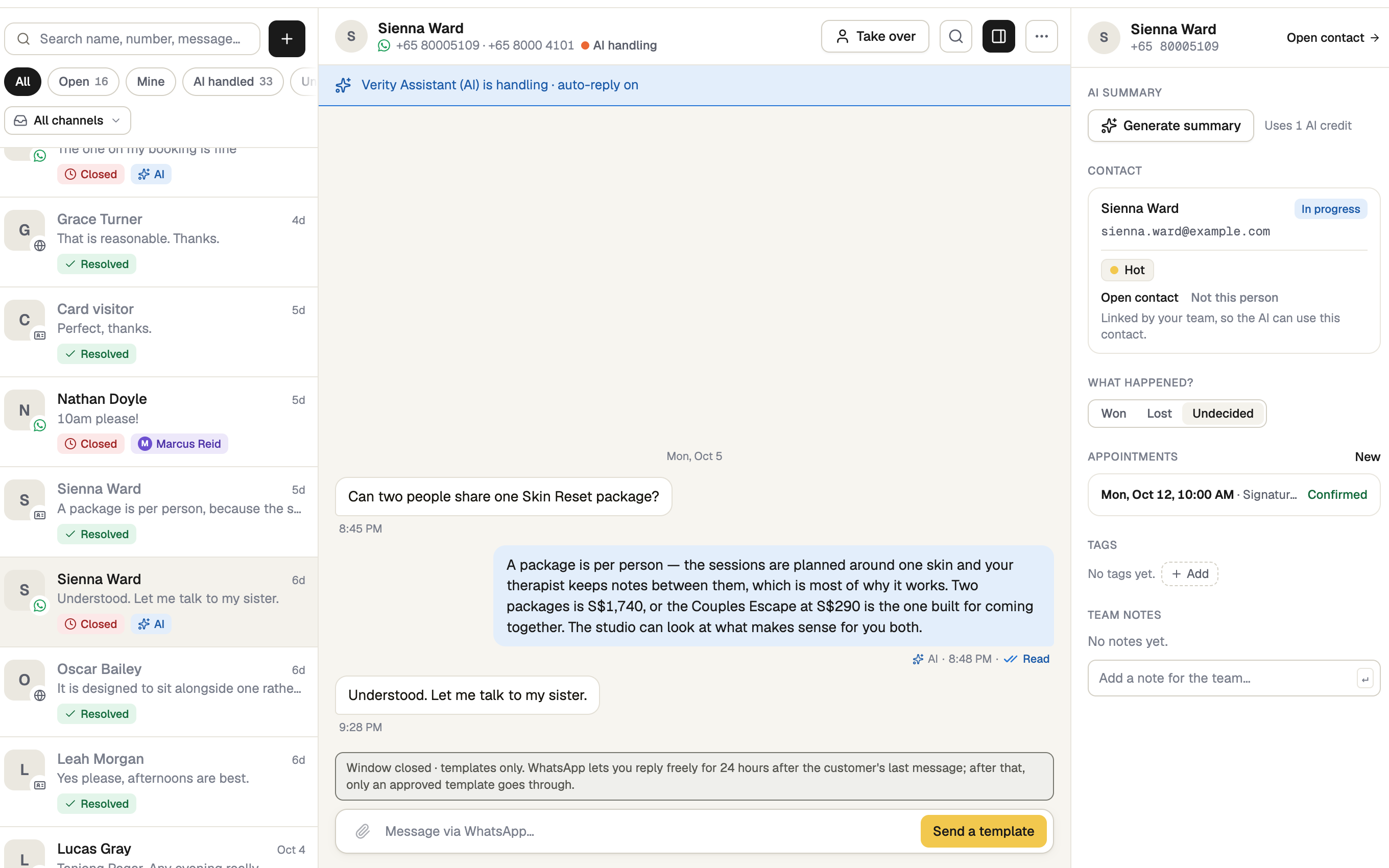
Every channel shares one list, newest first: WhatsApp, E-Card chats, website chats and Test chat (your own Test AI questions). A row shows who it's with, the last message and a gold unread count.
Chips say who has it: AI, You, a teammate's name, or a dashed Unassigned (a WhatsApp chat the AI handed to your team). WhatsApp rows also get a chip as the 24-hour reply window runs out.
Narrow the list
- Pills: All, Open, Mine, AI handled, Unassigned, Closed.
- The menu under them picks a channel or number: WhatsApp, Website chat, E-Card, Test chat, Archived.
- Search name, number, message… searches every conversation.
On E-Card and website chats Mine is the chats you are handling, and Unassigned stays empty.
Open a conversation and reply
Click a row. Its details (AI summary, contact, tags, notes, bookings) sit on the right on a wide screen, or open from the panel button in the header.
Type and press Send; Shift+Enter starts a new line. On WhatsApp, Attach file adds a photo, video, audio or document, and after 24 hours of silence only an approved template goes out (Send a template).
Replying makes the chat yours. The AI stops answering it by itself until you press Release to AI.
Use the ··· menu for the rest
WhatsApp only: Who's on it, Suggest reply (1 AI credit), Mark as unread, Archive. Every channel: Mark resolved or End chat, and Search messages. The + by the search box is New WhatsApp chat, for any number.
On a phone
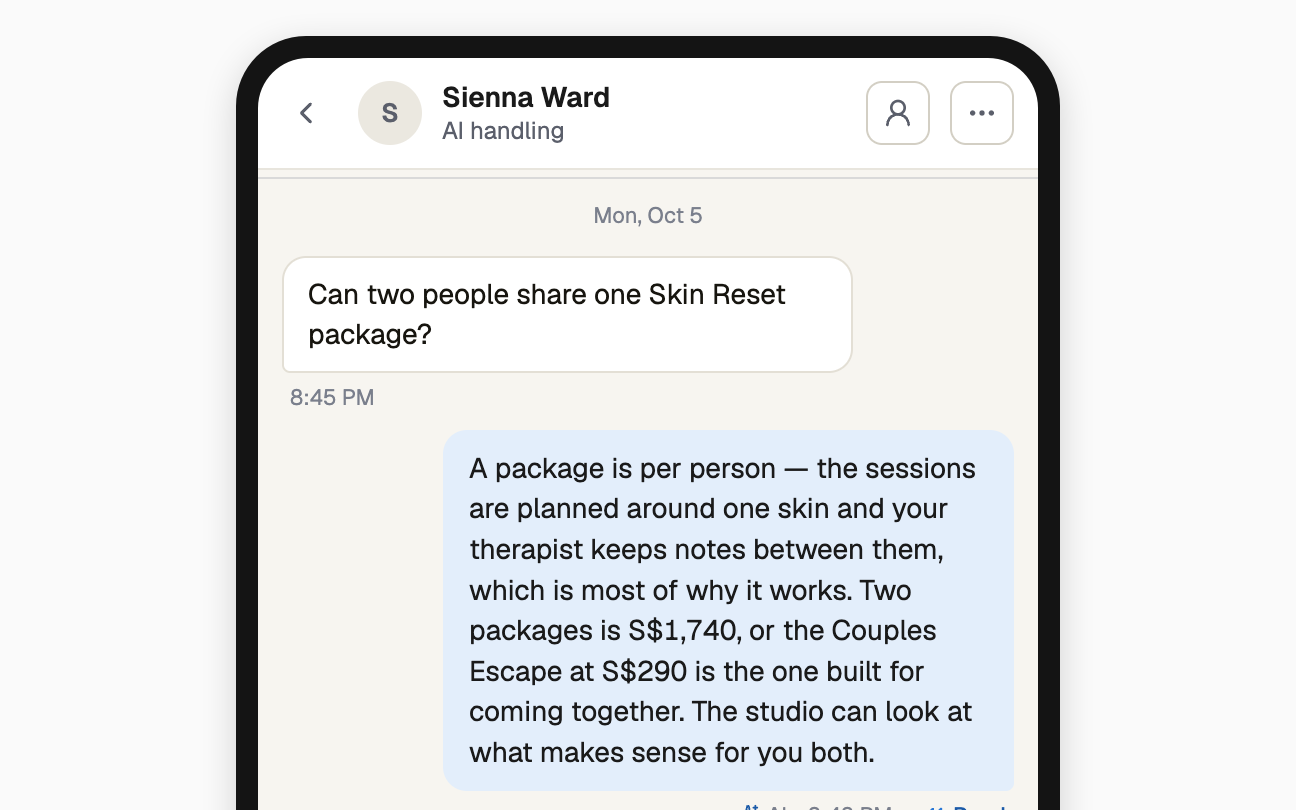
One screen at a time: the list, the conversation (‹ goes back), and details in a sheet from the person icon. The channel menu and New WhatsApp chat move to the top bar.
If it doesn't work
| What you see | What to do |
|---|---|
| "No channels connected" | Press Connect a channel. No button? Ask whoever runs the workspace to connect one or give you access. |
| "Nothing matches these filters" | A pill, channel or search is hiding the rows. Press Clear filters. |
| "You can read this conversation, but you can't reply on this number." | Your access is view-only. Press Request access, or ask for reply access under Integrations → WhatsApp → Access. |
| "Window closed · templates only." | More than 24 hours have passed since their last message. Press Send a template, or wait for them to write. |
Next
- Taking over a conversation — answer a chat yourself
- End or reopen a conversation
- Contacts and leads — the people behind the chats