Before you start
0 / 3
- Your business name
- A logo, ideally square
- One way to reach you: a phone, an email or a website
Open Settings → Business profile
Everyone in the business can open this page. Without the Edit the business profile permission it is read-only.
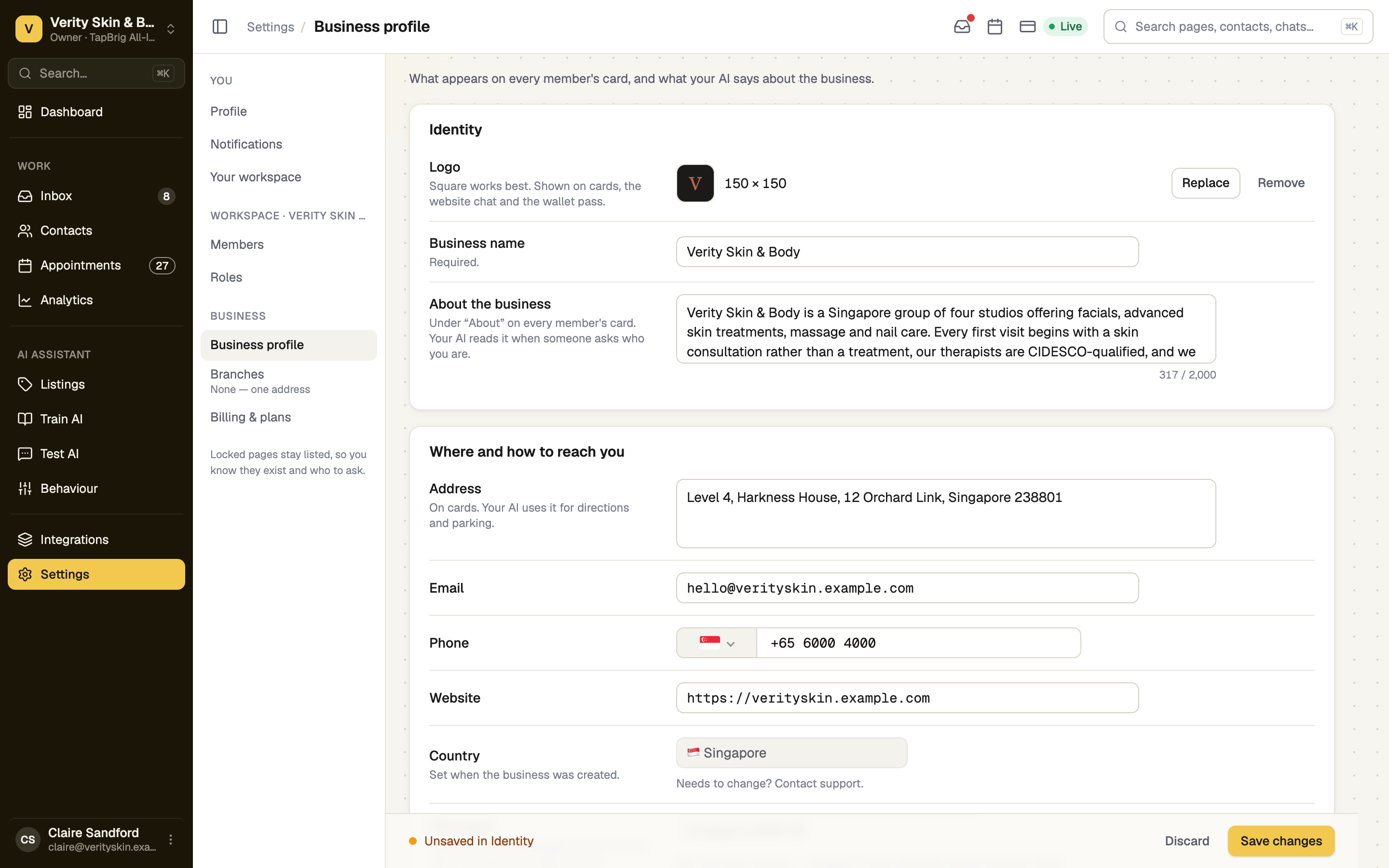
Add your logo, name and a line about you
Press Upload a logo, type the Business name (required), and describe what you do under About the business. Your AI reads that text when someone asks who you are.
Say where and how to reach you
Fill in Address, Email, Phone and Website. A website needs https://; press add it for me if you left it off. Your card and booking page show these, and your AI uses them for directions and contact details.
Country is set when the business is created and can't be changed here; contact support if it must change. Time zone starts from your country. Change it if you run on another clock.
Press Save changes
The bar at the foot lists what is unsaved. When you see Business profile saved, Setup ticks Name, logo and contact details.
Or start from your website
In Setup, press Fill from my website, enter your website's address (such as example.com), check what it found, then press Save these. It only fills what is still blank.
If it doesn't work
| What you see | What to do |
|---|---|
| "Business needs a name" | Type a name. It is the one required field |
| "Email needs a full address" | Add the part after the @, as in sarah@example.com |
| "Website needs https://" | Press add it for me |
| "You can see this page but not change it" | The page is read-only for your role. Ask the owner for Edit the business profile |
| "Business profile couldn't be saved" | Check your connection and press Save changes again |
Next
- Opening hours — the other required business step
- Branches: more than one location — an address and hours for each shop
- Build your digital card — your name and logo are already on it