Before you start
0 / 3
- A contact linked to the conversation, because the verdict belongs to the contact
- Edit contacts, which the Won and Lost buttons need
- To approve what the AI suggests: Set how the AI behaves
Record it in the Inbox
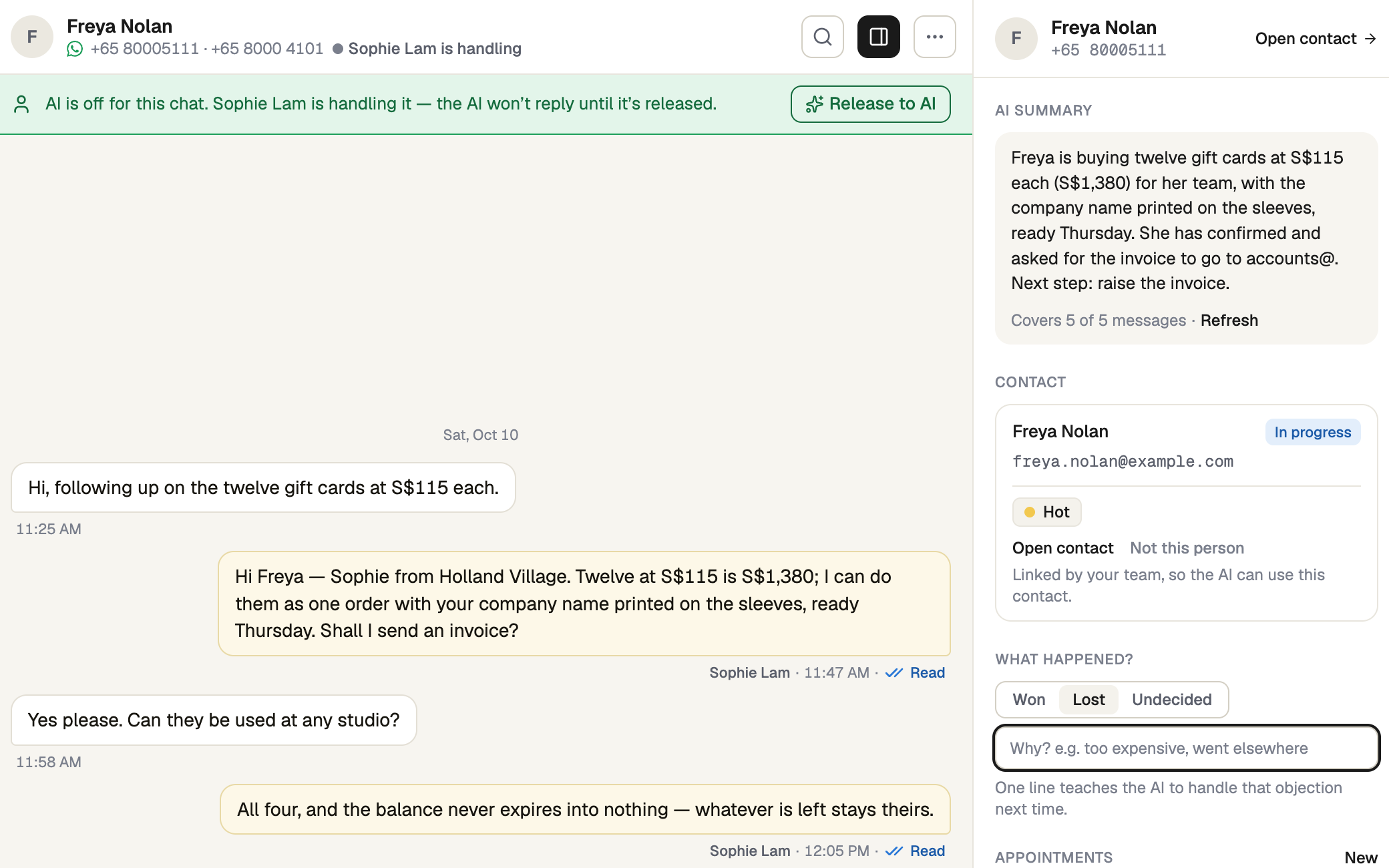
Open the conversation. In the details, under What happened?, press Won, Lost or Undecided (which clears it). It saves at once. If there is no contact in the details, press Create contact first.
Say why you lost it
After Lost a line appears: "Why? e.g. too expensive, went elsewhere". Write a few words, then press Enter or click away; it saves itself, up to 280 characters. Skipping it keeps the verdict.
Or record it on the contact
Open the contact, go to Info and find What happened? under Where they stand. The Why box opens for Won as well as Lost. Press Save changes.
See what you have recorded
On Contacts, Filters → What happened lists the won, lost or undecided. Select rows and Export CSV to get Outcome and Outcome reason columns. Analytics → Contacts & leads shows Conversion and Close rate, and counts only what you marked.
Review what the AI suggests
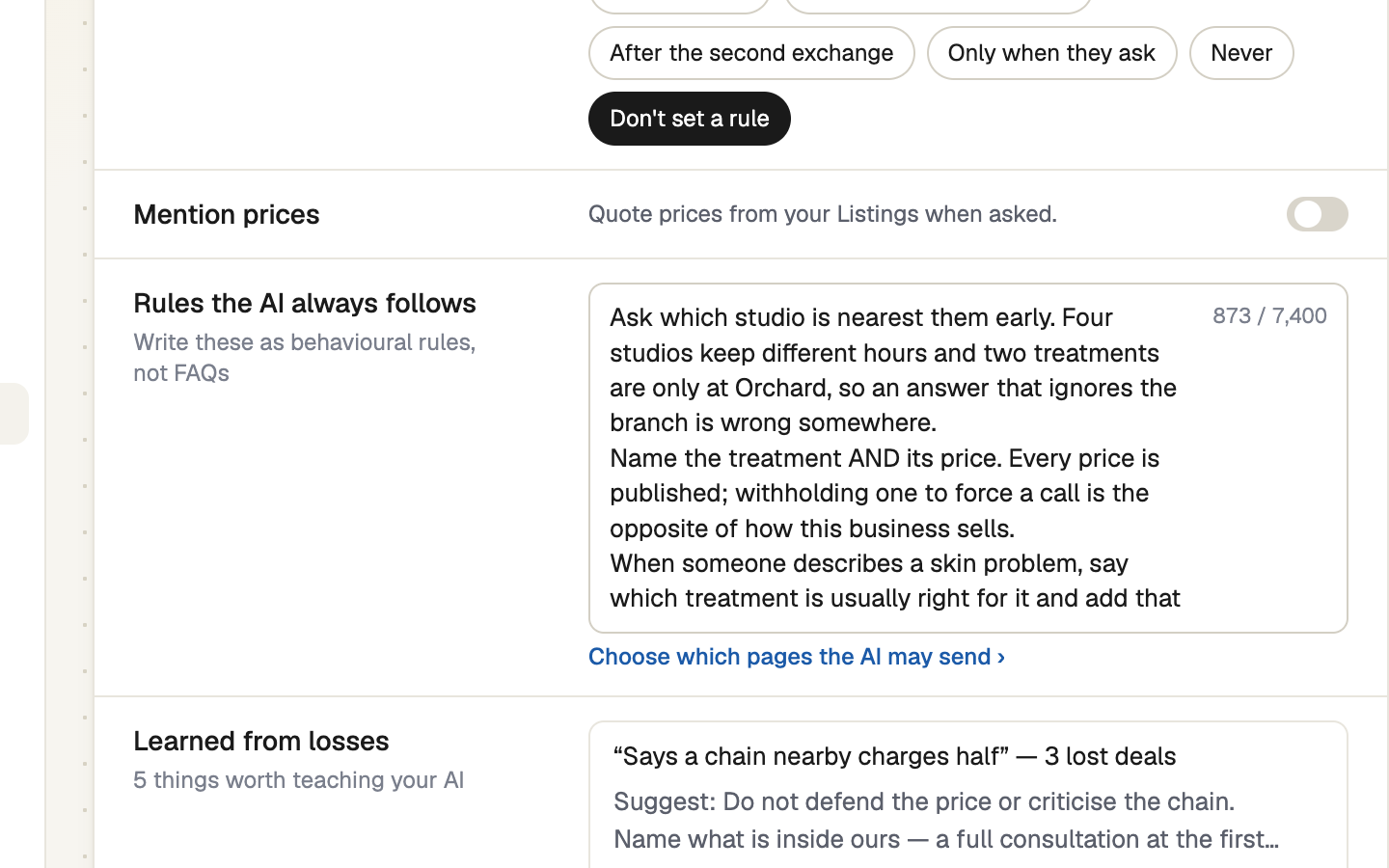
Once a day TapBrig looks at your recent lost deals. When a few share a reason, it drafts an objection rule on Behaviour → Sales rules → Learned from losses. Hover a suggestion to see the reasons behind it. Add rule puts it with your other objection rules; Not useful drops it for good. Nothing changes until you add one, and only Lost reasons are used.
A suggested rule says how to respond, never a price, discount or promise. Read it before you add it.
If it doesn't work
| What you see | What to do |
|---|---|
| "Couldn't save that. Try again." | Try again. The buttons are greyed out without Edit contacts. |
| No What happened? in the details | The conversation has no contact yet. Press Create contact first. |
| No Learned from losses row | There is nothing to suggest yet. It shows only when there is a suggestion, and only to people who can set how the AI behaves. |
Next
- Shape how the AI talks — the other rules on the Behaviour page
- Your analytics, report by report
- Contacts and leads