Before you start
0 / 3
- A plan with members: Plus or higher
- Your Business profile filled in: name, logo, address and hours show on every card
- Members already invited, so each one has a card to open
Set the business details once
In Settings → Business profile, add the logo, business name, address, About the business and opening hours. They show on every member's card behind a lock. Only the owner, or a role with “Edit the business profile”, can change them. Listings and the contact form are shared too.
Set one look for every card
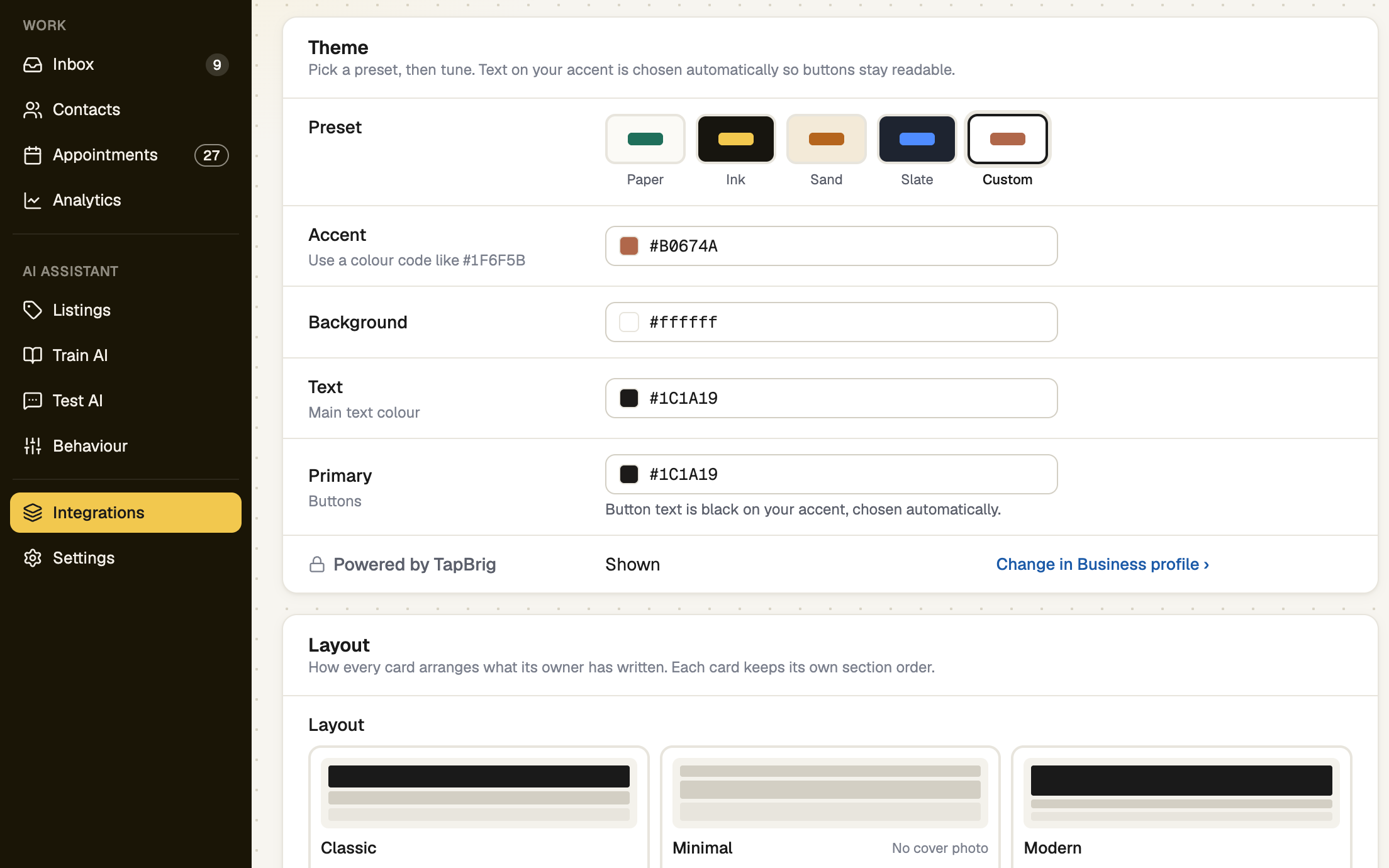
Open Integrations → E-Card → Brand. Choose a preset, the four colours and a layout, then press Save for every card and confirm. Each card keeps its own section order and content. Cards created later start with this look.
Only the owner, or a role with “Edit the business profile”, can save Brand. Everyone else sees it read-only.
Let each member build their own card
Members open Integrations → E-Card and fill in their own name, photo, job title, phone, email, bio and links. They also choose their main button, which sections show and in what order. Their Setup page lists Set up your card until it is done.
Publish their cards
A member's card starts as a draft. Members publish their own with Save & publish.
The owner can publish for them: open the card switcher at the top of the section list (a phone doesn't show it) and pick Sarah Collins's card. A strip says you are editing as the business owner, and they aren't notified.
The switcher needs “See members”. Changing another person's card also needs “Edit their E-Card”. The Employee role has no “See members”, so it only opens its own card.
screenshot · Card editor while the owner edits a teammate's card · 1440 × 900
Know whose card is whose
A card belongs to one person in one business. Someone who works in two businesses has two cards, each with its own address and look. Use the business switcher to move to the other one.
If it doesn't work
| What you see | What to do |
|---|---|
| "Brand is read-only." | Your role can't change Brand. Ask the business owner for “Edit the business profile”. |
| "Your accent is almost the same as the background, so buttons lose their edge." | Pick an accent that contrasts more. |
| "Text is unreadable on this background — …" | Visitors couldn't read the name. Darken the text or lighten the background. No card publishes until it reads. |
| "Your role can't edit E-Cards — ask the business owner." | A member can look at their card but not change it. Ask for “Edit their E-Card”. |
Next
- Invite your team — add the members who need a card
- Roles and permissions — choose who can change Brand
- Run more than one business