Before you start
0 / 3
- Be the owner, or have a role with Manage billing
- A paid plan that includes pay-as-you-go — the free trial can't top up
- A card — if you already pay by card, checkout offers it
Open Buy AI credits
Go to Settings → Billing & plans → Buy AI credits. When your AI has stopped, the notice on Usage & spend leads here too. Each pack shows its price and, once you have used some credits, about how long it lasts at your pace. Best value marks the pack that beats pay-as-you-go and best fits your pace.
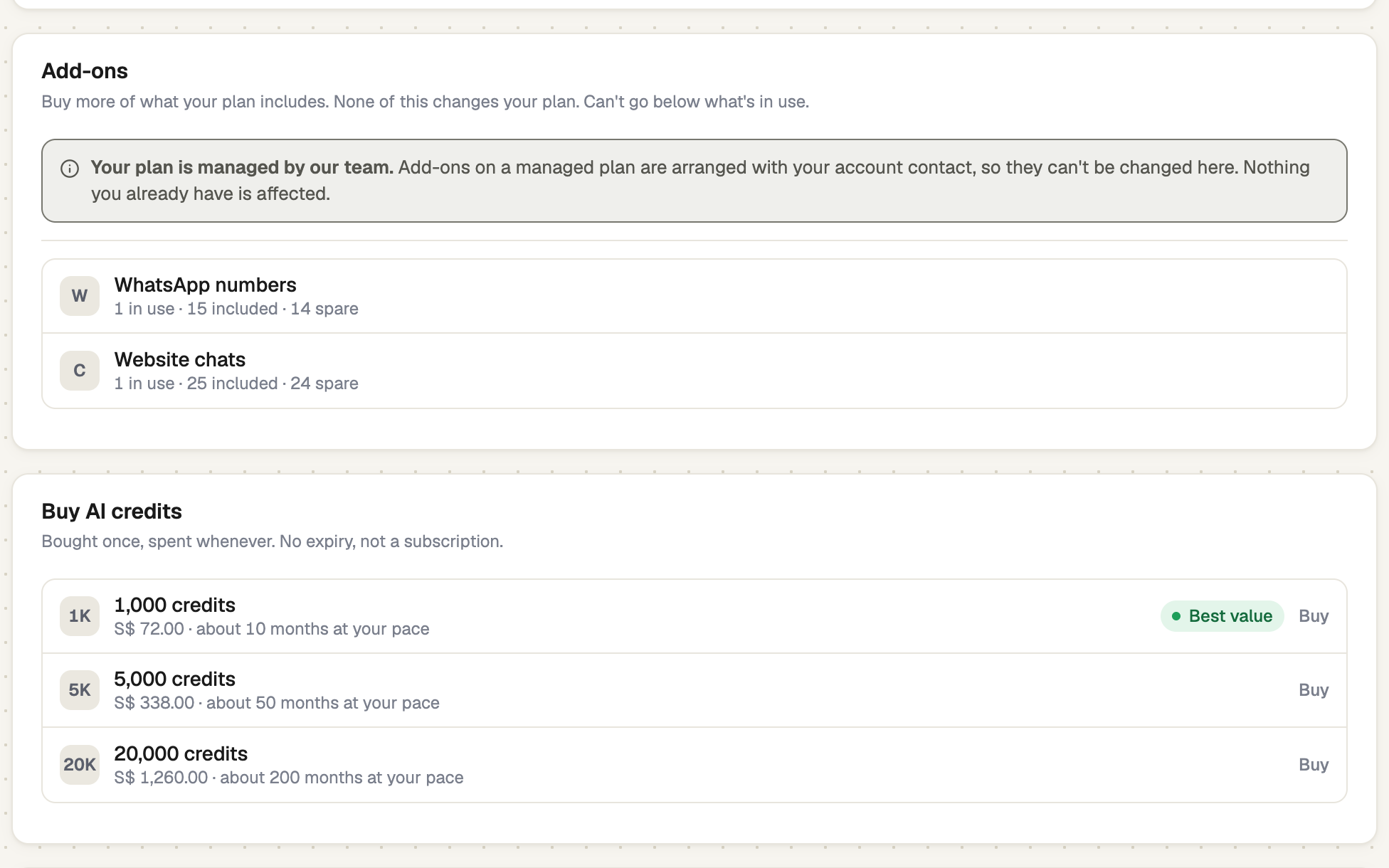
Choose a pack and confirm
Select Buy beside a pack. The window states the terms: the credits are available at once and never expire, and it is a one-off payment with its own receipt. Your plan's recurring total does not change, and nothing recurs. Confirm to go to checkout.
screenshot · Confirmation window for buying a credit pack · 1440 × 900
Pay, then check the receipt
After paying you return to Billing & plans. The card shows how many credits were added. If it says "Your payment went through", the credits arrive within about a minute; select Check again.
screenshot · Buy AI credits card showing a green receipt after a purchase · 1440 × 900
See how they are used
Your AI uses your plan's credits first, then packs, then pay-as-you-go. A pack also restarts the AI when pay-as-you-go is off, paused or at its spend limit. Your balance shows on Buy AI credits and as Credit balance on Usage & spend.
If it doesn't work
| What you see | What to do |
|---|---|
| "Credits need a plan with pay-as-you-go." | Your plan has no pay-as-you-go rate. Choose a plan that does. |
| "Your trial includes its own credits and can't be topped up. Choose a plan to buy more." | Subscribe first, then buy. |
| "Couldn’t start the purchase. Nothing has been charged." | Try again in a moment. |
| "Your payment went through." | Wait for the confirmation, then select Check again. |
Next
- AI usage, credits and overage — watch your credits and set pay-as-you-go
- Your plan and your bill — change plan for a larger allowance