Open Analytics and pick a report
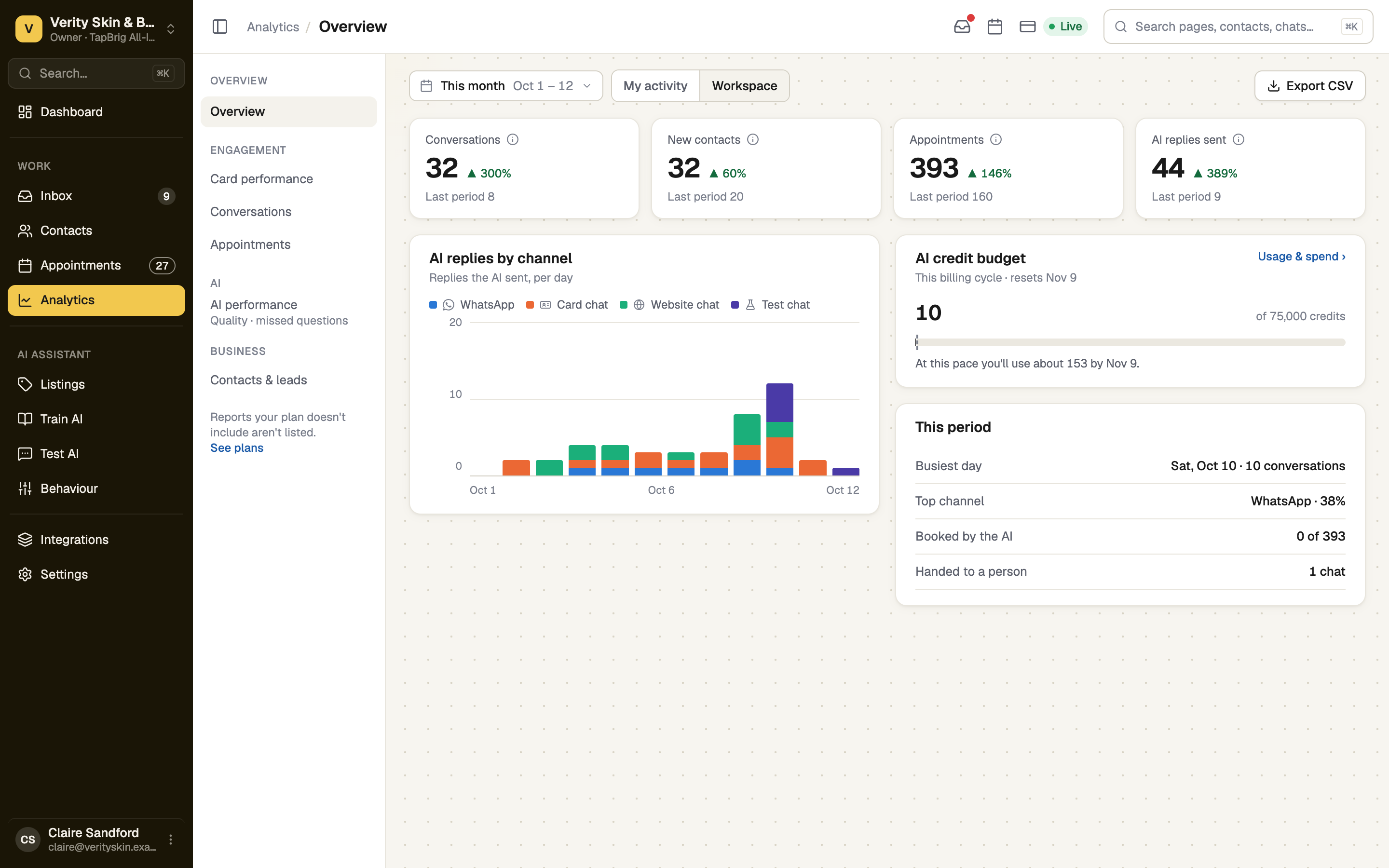
Open Analytics. On a wide screen the reports are listed beside the page; on a phone you land on the list first. A report your plan does not include is not listed.
Choose the dates
Range offers Today, This month (the default), This year or Custom. Days end at midnight in your business's time zone, and days that have not happened cannot be picked. Overview tiles compare with the period before.
Choose whose numbers, then export
My activity shows your own numbers; Workspace shows everyone's. Workspace needs a Plus plan or higher and the See the whole team's analytics permission, which the owner has. Export CSV downloads what the report shows.
The reports
| Report | What it tells you | Who sees it |
|---|---|---|
| Overview | Conversations, new contacts, appointments and AI replies by channel, plus your AI credit budget for the billing cycle | Everyone |
| Card performance | Views, visitors, taps and the links people click | Plans with an E-Card |
| Conversations | Daily volume, when customers write on WhatsApp, AI against your team, chats handed to a person | Plans with WhatsApp or website chat |
| Appointments | Bookings, show rate, how far ahead people book, busiest times | Plans with booking |
| AI performance | Chats passed to a person, answers rated helpful, questions the AI could not answer | Plans with AI |
| Contacts & leads | New contacts, won and lost, where they came from | Everyone |
| Costs & usage | AI credits used this cycle, the projection, by feature and by person | The owner, or a role with Manage billing |
On AI performance, press Make an FAQ beside a missed question to answer it in Train AI.
If it doesn't work
| What you see | What to do |
|---|---|
| "Team analytics is part of Plus and above" | Workspace needs a higher plan. My overview still shows your own numbers. |
| "… is limited by your role" | The page names the permission. An owner can grant it under Settings → Roles. |
| "Nothing to measure yet" | No report has a number. Share your card or connect a channel; the page goes away once one does. |
Next
- Teach the AI about your business — fill the gaps the AI report finds
- AI usage, credits and overage — the bill behind Costs & usage