Before you start
0 / 3
- Two records for one person, both on the same page of the list (search for the name)
- Two permissions: Edit contacts and Delete and merge contacts
- A decision on which record to keep, because it keeps its own details
Tick the two records
Duplicates appear when the same person reaches you in different ways, such as a booking, a form and a WhatsApp chat, with details that don't match exactly. TapBrig never merges people by itself.
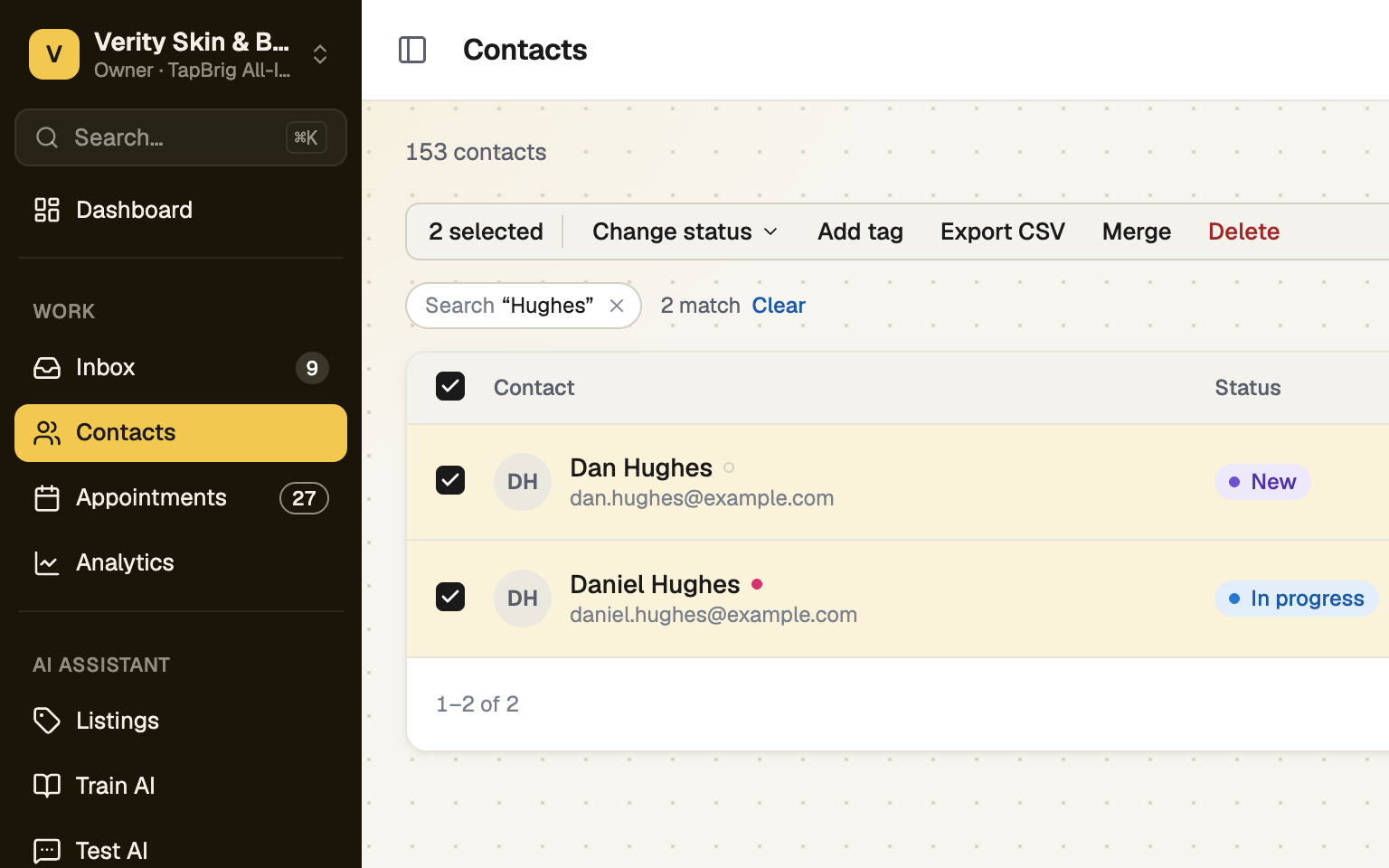
Search for the name so both rows are on screen, then tick their boxes. On a phone: ··· → Select, then tick both.
Press Merge
Merge is in the bar that appears above the list. It stays dim, with "Select exactly two to merge", until exactly two are ticked. On a phone it is in the ··· menu of the selection bar.
Choose the record to keep
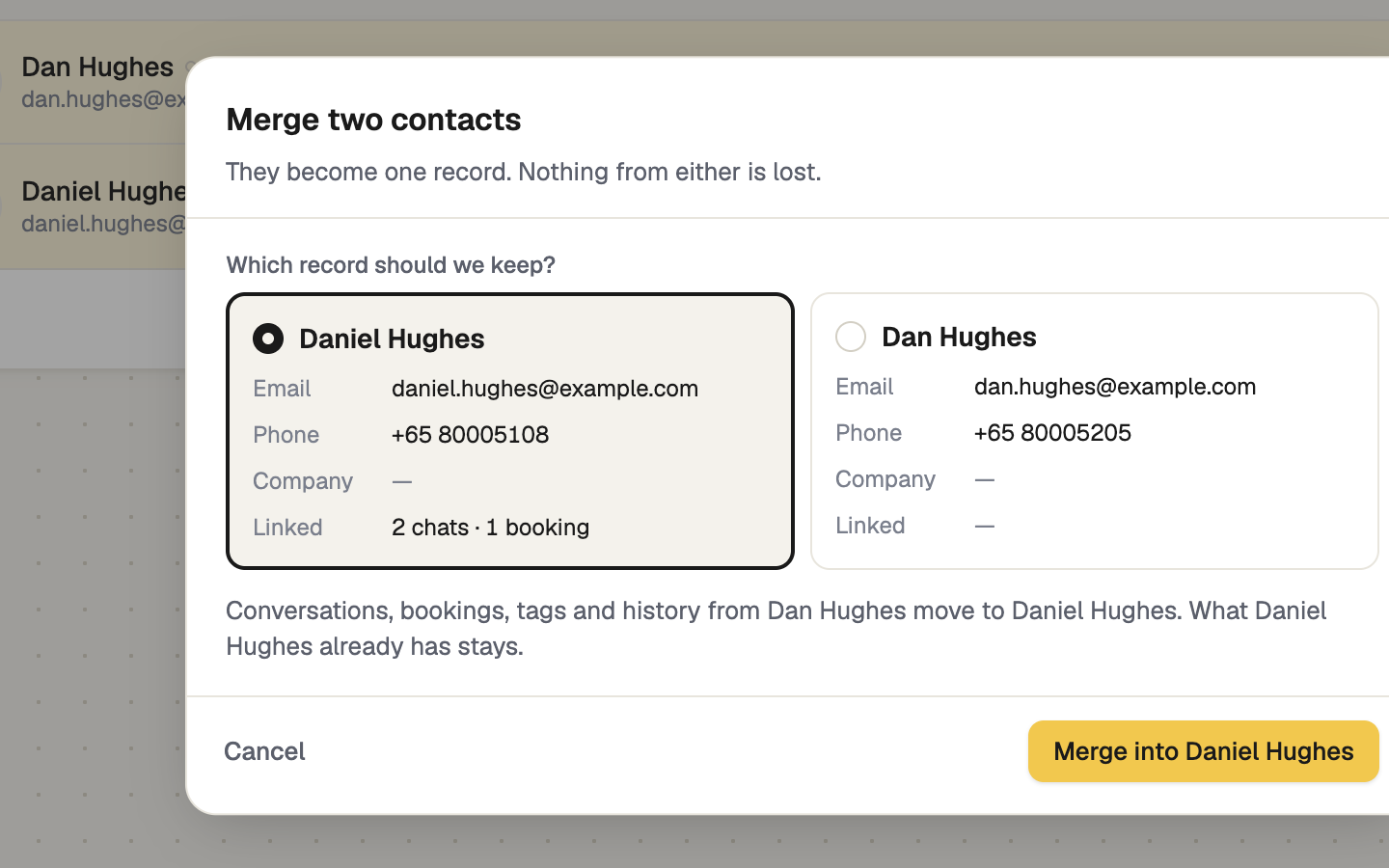
Under Which record should we keep? each card shows the email, phone, company and how many chats and bookings that record carries. TapBrig starts on the one with more history, then the one with a name, then the older. Click the other card to switch, then press Merge into and the name.
Check what moves
Chats on every channel, bookings, tags, shares and history move to the kept record. It keeps its own details and only has empty fields filled from the other, and notes from both are kept. A lead signal or What happened mark is taken from the other only if the kept record has none. The other record leaves your list and frees a place in your plan's allowance.
There is no undo in the app. Check which card is selected before you confirm.
If it doesn't work
| What you see | What to do |
|---|---|
| "Select exactly two to merge" | Tick two rows, no more or fewer. Ticks clear when you change page, filter or search, so search for the name first. |
| "Couldn't merge those contacts. Try again." | Nothing was changed: a merge happens completely or not at all. Try again. |
| There is no Merge button | You need both Edit contacts and Delete and merge contacts. |
Next
- Contacts and leads — the list, the panel and the lead signal
- Import contacts — choose how duplicates are handled as a list comes in