Before you start
0 / 3
- A connected WhatsApp number and an approved template
- Contacts who agreed to WhatsApp offers
- The Send broadcasts permission
Open Broadcasts and press New broadcast
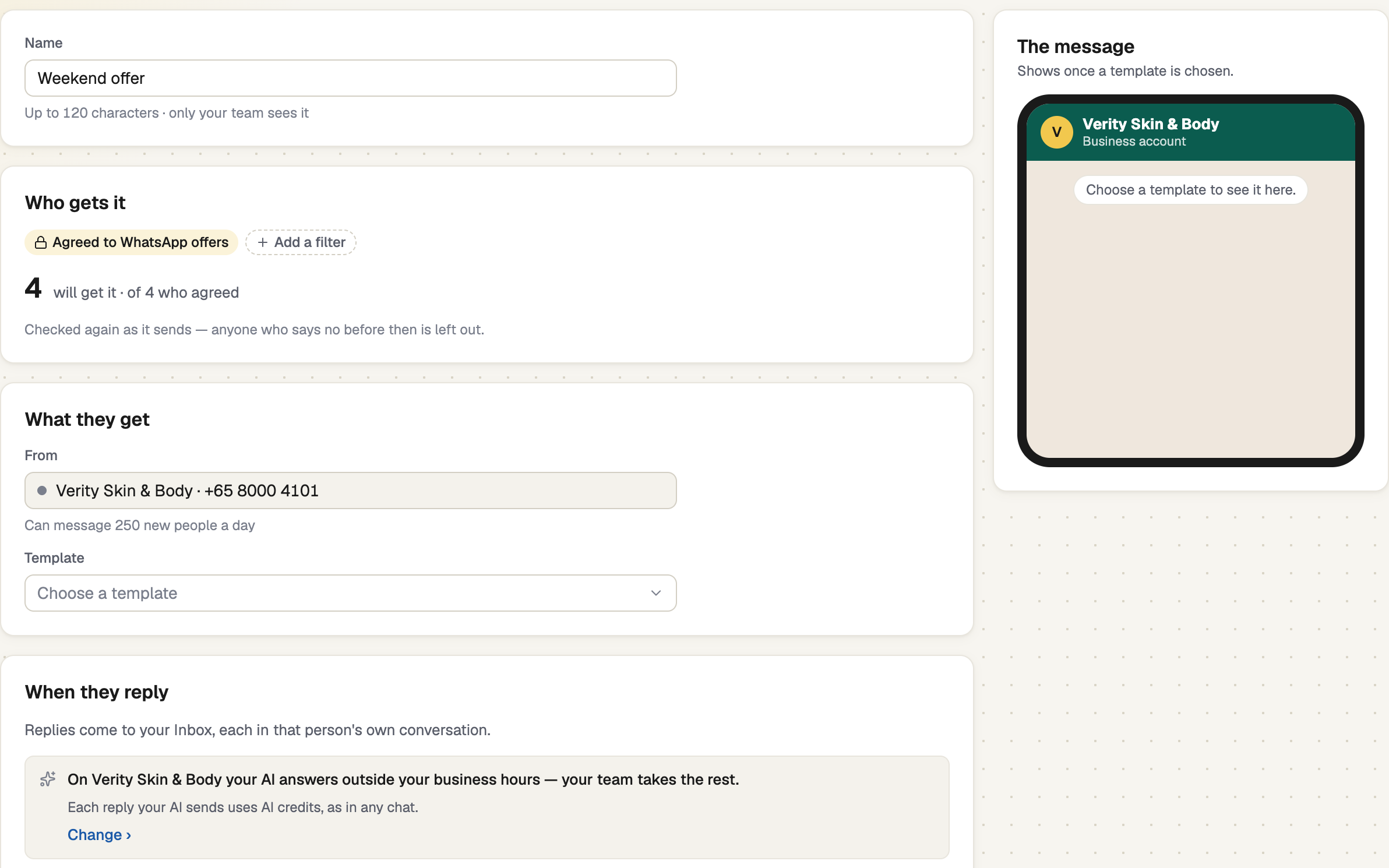
Broadcasts comes with every WhatsApp and All-In-One plan, and with the free trial. It goes only to people who said yes to WhatsApp offers, so the chip Agreed to WhatsApp offers can't be removed.
Choose who gets it
Under Who gets it, press Add a filter, such as Tags. left out › says why some won't get it. A Marketing broadcast skips anyone who had one from you in the last 3 days: Broadcast settings changes the days, and Send to them anyway sets the rule aside once.
Choose what they get
Pick the number under From, then the Template, which shows its quality. Under Fill in the details, choose what fills each changing part, such as First name. The message shows it filled in for one of them.
A Marketing template needs Stop promotions. People who can't stop your offers block you instead, and blocks lower your number's quality.
Choose when it goes
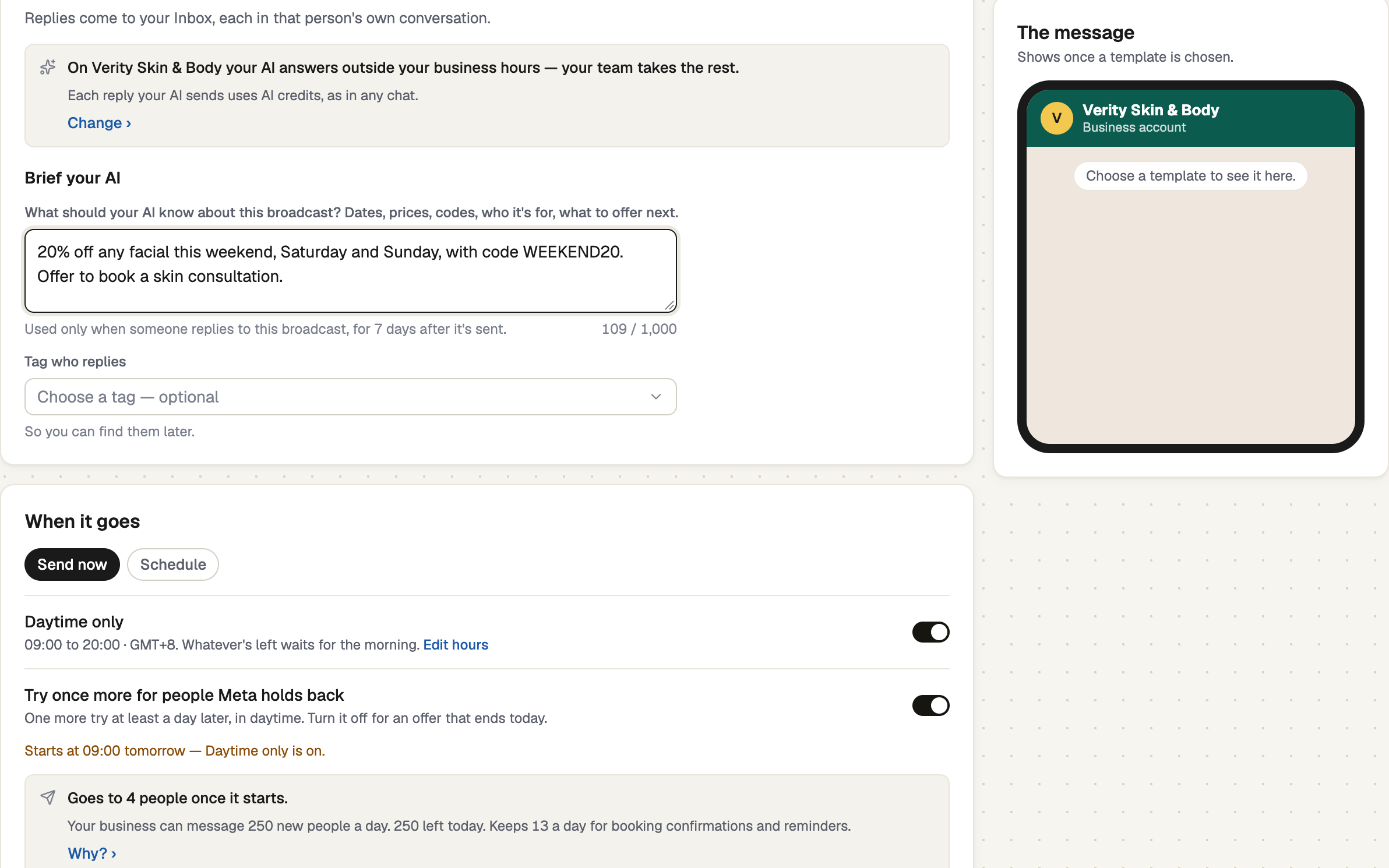
Choose Send now or Schedule. Daytime only is on by default: what's left waits for the morning. Meta caps how many new people your business can message a day, across all its numbers, so a big broadcast takes several days. Try once more for people Meta holds back tries them again a day later. About … to Meta estimates Meta's bill.
Review and send
Review & send shows who gets it, from which number and when. Send a test first sends one real message to a phone. Meta bills each delivered message to your own Meta account; TapBrig adds no markup.
Follow it and read the report
Its page shows who it reached, who read it and who replied, with a line on how it went. After the send counts the leads and bookings that followed. New broadcast to people who didn't reply follows up.
screenshot · A sent broadcast's report with its summary, tiles and replies · 1440 × 900
If it doesn't work
| What you see | What to do |
|---|---|
| "Nobody will get it yet — change who gets it." | Nobody who matches has said yes yet. See the next article. |
| "Paused — Meta stopped delivering: there's no payment method on your Meta account." | Add a card in Meta, then press Resume. |
| "Paused — Front desk's quality dropped to Low." | Read the replies first. Press Resume anyway only when you're sure. |
Next
- Get a yes for WhatsApp offers — the ways people agree
- Message templates — write one with Stop promotions
- What Meta charges for WhatsApp — what each message costs