WhatsApp Chatbot Malaysia: A Buyer's Guide (2026)
On a sales page every WhatsApp chatbot looks the same. These six questions show which ones will serve Malaysian customers well, and what you'll actually pay each month.
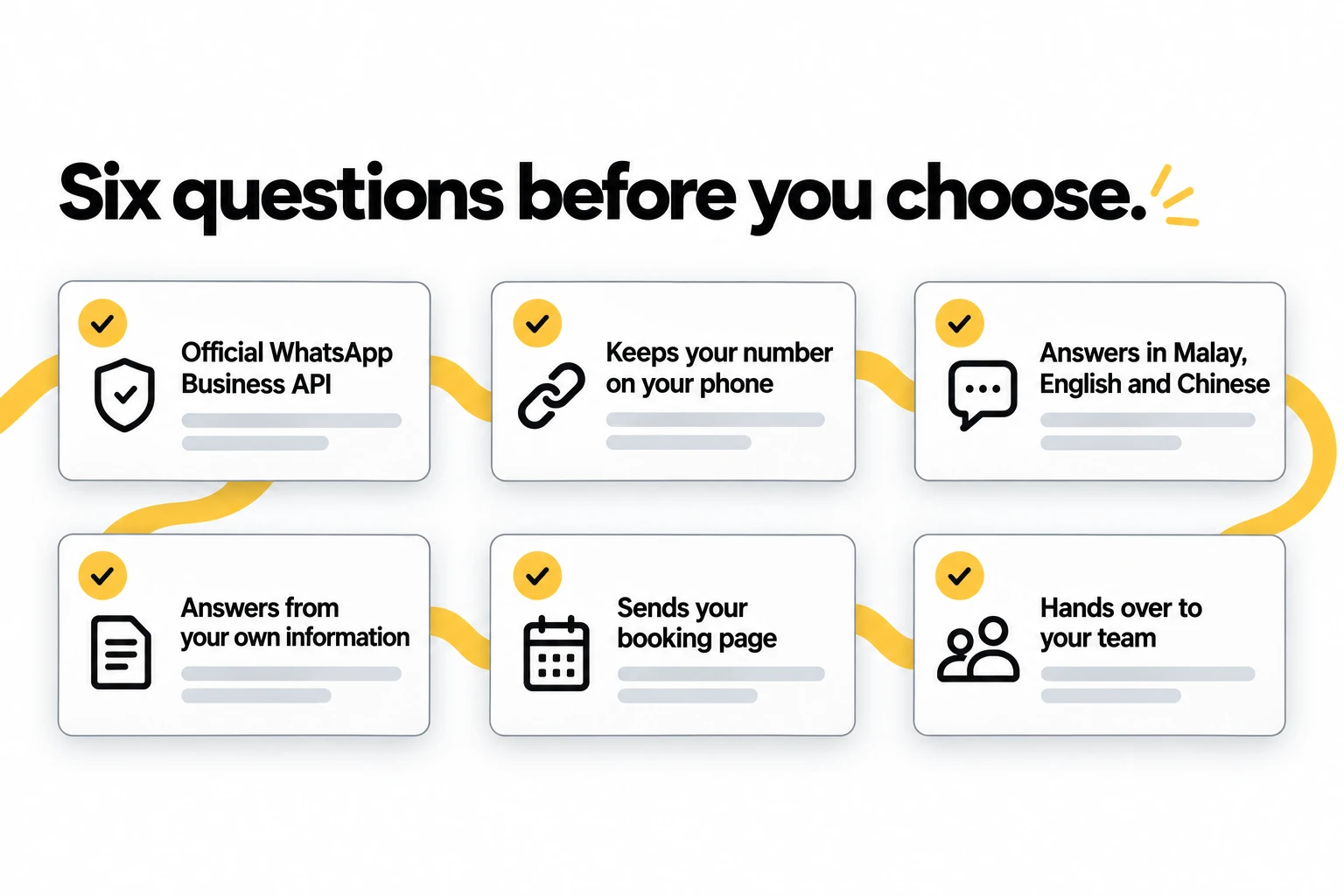
In this guide6 sections
In Malaysia, WhatsApp is where customers ask first. Before they call, before they walk in, before they fill in a form, they send a message: "Still available?", "Berapa harga?", "Can book this Saturday?" Whoever answers first, and answers properly, usually gets the business.
That's why a WhatsApp chatbot is worth having, and why choosing one is harder than it looks. On a sales page they all promise instant replies. The differences show up later: the number that gets banned, the bot that only speaks English, the "booking" it confirmed for a slot you'd already given away.
This guide gives you six questions that separate the chatbots that will serve your customers well from the ones that won't, explains what you'll actually pay, and shows how to set one up.
What a WhatsApp chatbot does now
The word "chatbot" still covers three very different things. An away message is the WhatsApp Business app's fixed reply outside your hours, and it answers nothing. A keyword bot matches words like price to a canned reply and breaks the moment someone phrases things differently. An AI chatbot works out what the customer actually asked and answers from your business's own information.
This guide is about the third kind. If you'd like to know how it works under the hood, we wrote that up in AI WhatsApp Auto-Reply: How It Works.
Six questions before you choose
1. Is it on the official WhatsApp Business API?
This comes first because getting it wrong can cost you your number. Some cheaper tools automate the regular WhatsApp app or WhatsApp Web instead of using the official API. That breaks WhatsApp's terms, and the number they run on can be banned, along with every chat on it.
The official WhatsApp Business API is the sanctioned way for software to send and receive messages for a business. Ask any provider directly: "Do you connect through the official WhatsApp Business API?" If the answer is vague, move on. TapBrig connects through the official API.
2. Can you keep your number on your phone?
Your customers already have your number saved. Changing it, or losing access to it on your phone, is a cost no price list shows.
If your number is on the WhatsApp Business app, ask whether it can stay there. Meta's coexistence lets a Business app number keep working in the app on your phone while a provider answers alongside you (it needs app version 2.24.17 or newer). If your number is on the regular WhatsApp app, you switch it to WhatsApp Business first and keep the same number. Our guide to connecting your WhatsApp walks through it.
3. Does it answer in Malay, English and Chinese?
Malaysian customers write in Malay, English and Chinese, and often in more than one at once. A chatbot that only handles English will fumble a good share of your enquiries.
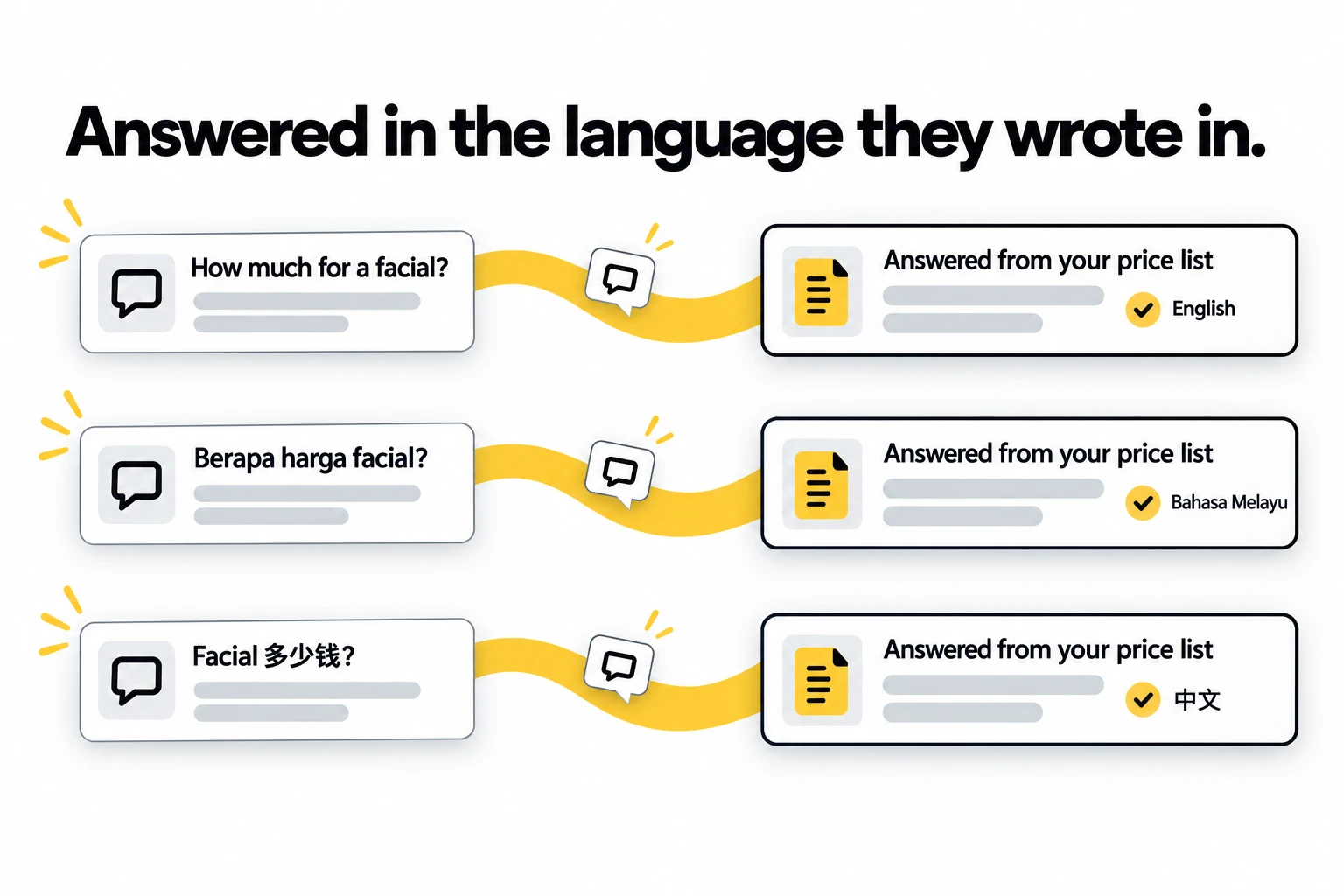
TapBrig's AI replies in the language the customer writes in: English, Malay, Chinese, Thai or Vietnamese. It follows a switch even in the middle of a sentence, so "Boleh book Saturday tak?" gets a proper answer. When you try any chatbot, test it with the messages your customers actually send, mixed languages included.
4. Does it answer from your own information?
A chatbot is only as good as what it answers from. The good ones learn your price list, your services, your opening hours and your policies, from documents you upload or from your website, and answer from those rather than from general knowledge.
Ask what happens when a customer asks something your information doesn't cover. The right answer is that it says so and passes the conversation to a person, rather than guessing. TapBrig also keeps every question it couldn't answer on one list, so you can add the answer and it knows next time.
5. What happens when someone wants to book?
This is where weak chatbots do real damage. A bot that tells a customer "Saturday 2pm is free, see you then" without checking your calendar has just double-booked you.
The safe pattern is for the chatbot to send your booking page in the chat, so the customer picks a slot that's actually open. That's how TapBrig works. The AI never promises a time itself. Each booking arrives as a request for you to accept, or confirms itself if you switch that on, and bookings sync with Google Calendar.
6. Does it hand over to your team?
Some conversations need a person: a reschedule, a complaint, a question with no clear answer. Ask how the chatbot hands those over, and whether the full chat goes with it, so nobody asks the customer to start again.
TapBrig hands over when it can't answer, when a customer sounds upset, and when someone asks to change a booking, which it can't do itself. You also choose how it replies. It can send replies automatically or write drafts that wait for your approval, and you can pause it for one conversation, one number or the whole inbox.
What a WhatsApp chatbot costs
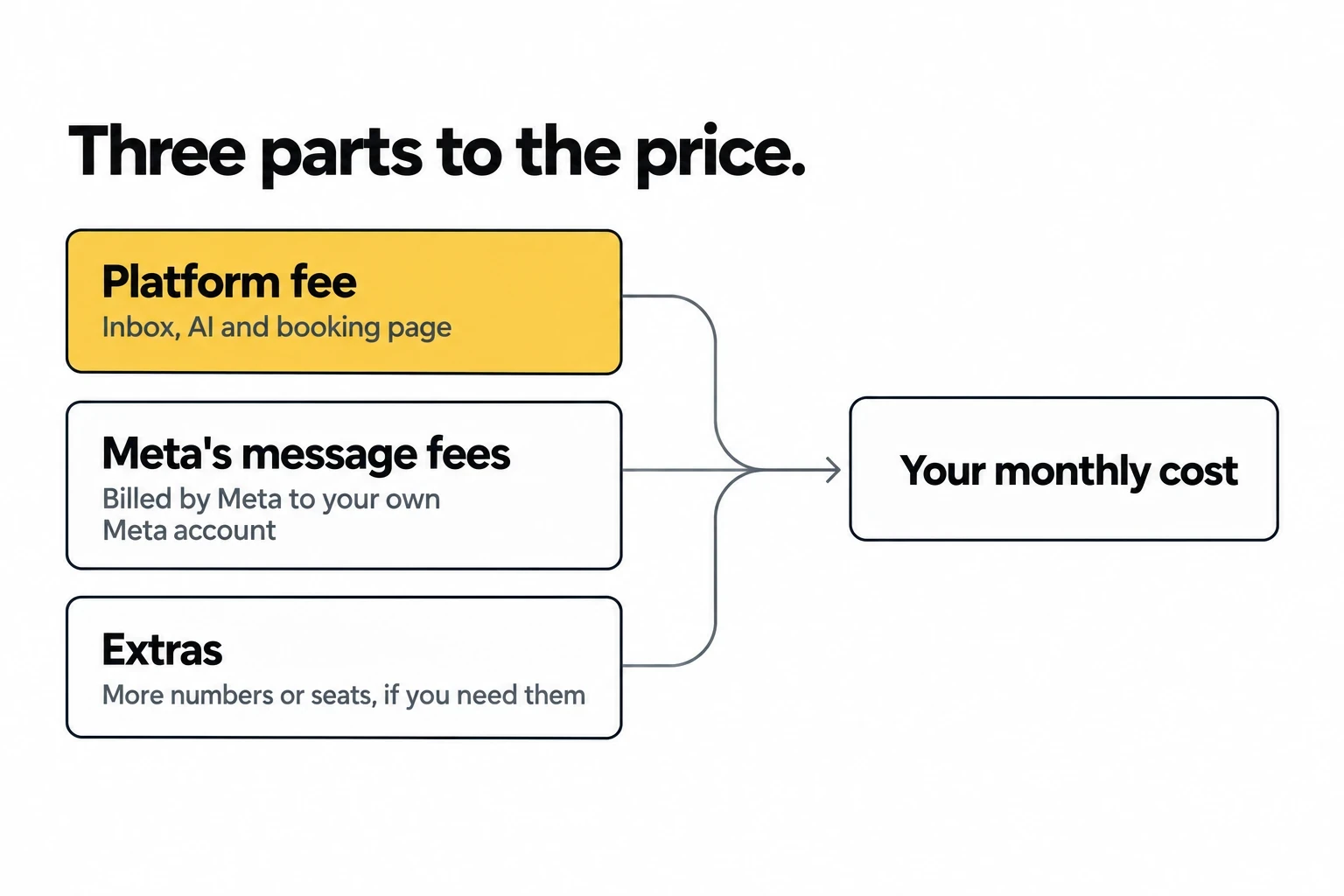
Your monthly cost has three parts, and a fair quote separates them:
- The platform fee. What the provider charges for the inbox, the AI and the booking page. Ask whether the AI is included or sold as an add-on, and whether you pay per seat or per business.
- Meta's message fees. Meta charges per message, by message type and by the recipient's country. Since 1 October 2026 that includes your replies inside a customer's 24-hour window once a number's 1,000 free ones for the month are used, at the cheap utility rate. We worked through what that does to a real bill in WhatsApp Charges for Replies Since 1 October 2026. Ask whether the provider passes these fees through at cost or adds a margin.
- Extras. More WhatsApp numbers, more seats, onboarding. They are small one by one, but together they make the gap between the headline price and the invoice.
With TapBrig, the AI is included in every plan and plans are priced per business, not per seat. Meta bills its fees straight to your own Meta account, so there's no line of ours for a markup to hide in. You can see the plans for Malaysia on our pricing page.
How to set one up
Once you've chosen, setup follows the same five steps for most businesses:
- Connect your number, keeping it on your phone if it's on the WhatsApp Business app.
- Teach it your business: price list, services, hours and policies.
- Set your booking page: what people can book, how long each takes, and when you're free.
- Choose how it replies: automatically, or drafts for your approval while you build trust.
- Decide what goes to your team: reschedules, complaints and anything unusual.
Then, once a week, read the list of questions it couldn't answer and fill the gaps. For a worked example of all five steps, see our WhatsApp automation guide for salons.
Where TapBrig fits
TapBrig is built for small and growing businesses in Malaysia and Singapore. It can answer on WhatsApp, in the chat on your website and on your digital card, with every conversation in one inbox and saved as a contact. The AI is on every plan.
It isn't for everyone. TapBrig doesn't send broadcasts or scheduled campaigns, and its only integrations are Google Calendar and spreadsheet import. If you need marketing blasts or a long list of integrations, a bigger platform may suit you better, and our comparison with SleekFlow shows where each one wins.
The short version
Before you choose a WhatsApp chatbot in Malaysia, ask six questions. Is it on the official API? Can you keep your number on your phone? Does it answer in Malay, English and Chinese? Does it answer from your own information? Does it send your booking page instead of promising times? Does it hand over to your team with the full chat? Then ask for the price in its three parts.
To see how TapBrig answers all six, read about the WhatsApp AI chatbot for Malaysian businesses, or send us a note about your own enquiries.
See it answer your customers for a week
One AI brain across WhatsApp, web chat and digital name cards — capturing leads and sending your booking page, 24/7. Every feature, 500 AI credits, no credit card.
More from the blog
WhatsApp Automation for Salons in Malaysia: A How-To
Your WhatsApp fills up while your hands are full. Here's how to set up automation that answers from your own price list, sends your booking page and hands the tricky chats to your team, in five steps.
ReadWhatsApp Charges for Replies Since 1 October 2026
Replying to customers inside their 24-hour window was free from November 2024 until 1 October 2026. Here's what it costs now — worked through on a real monthly bill — and why one marketing broadcast still costs more than a month of conversations.
ReadWhat Is an AI Customer Engagement Platform? A Plain Guide for SMBs
The term is everywhere and explained nowhere. Here's what an AI customer engagement platform actually is, how it differs from a chatbot or a CRM, and why it matters for a small business.
Read