AI WhatsApp Auto-Reply: How It Works and What to Look For (2026)
Modern AI auto-reply is nothing like the old 'we'll get back to you' message. Here's how it works under the hood — and the buyer's checklist for picking one that won't embarrass you.
In this guide7 sections
"Auto-reply" used to mean one sad little message: "Thanks for contacting us! We'll get back to you during business hours." It told the customer nothing, answered nothing, and usually arrived right before they gave up and messaged someone else.
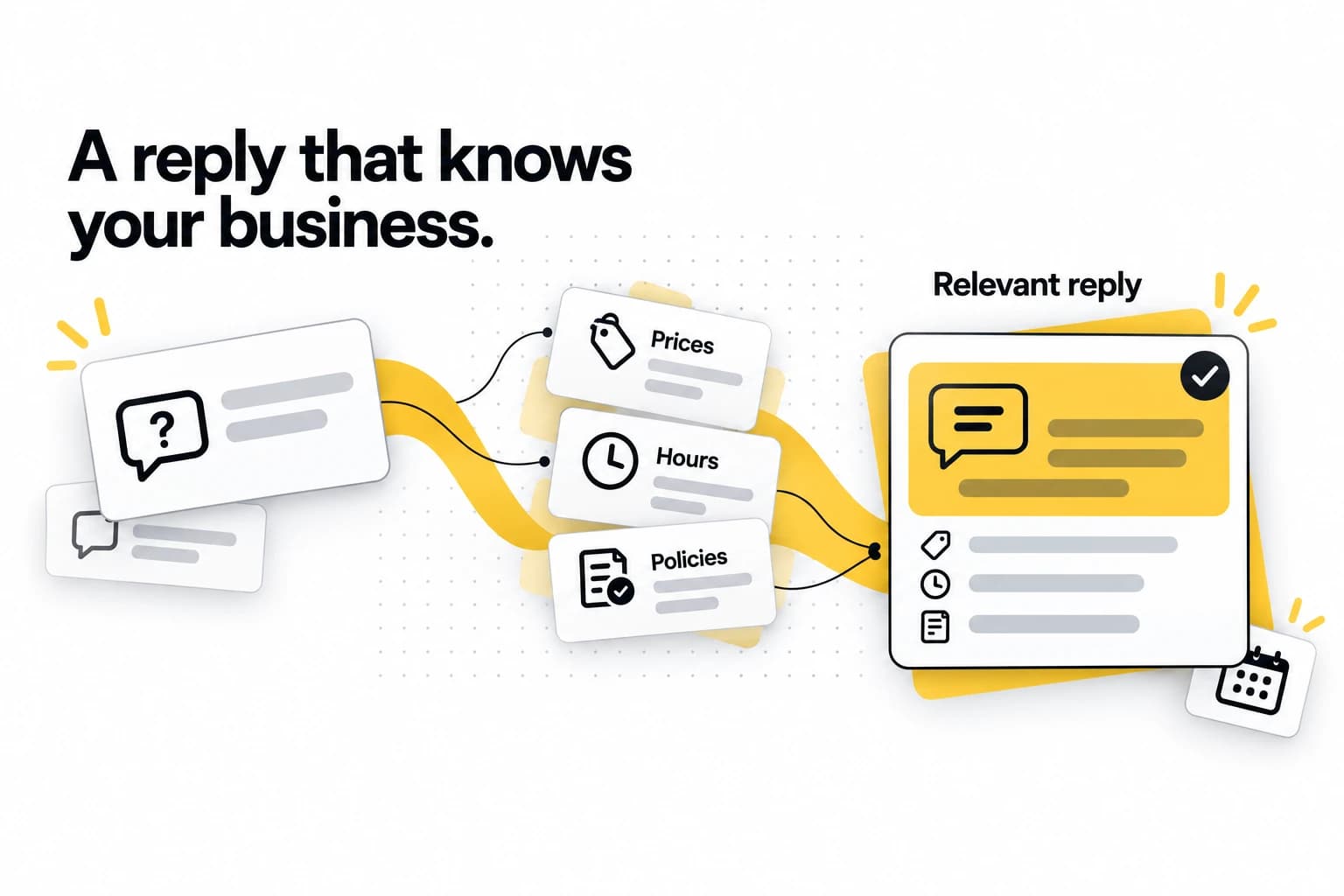
AI auto-reply is a different thing entirely. Done well, it reads what the customer actually asked, answers it correctly in your voice, sends the booking page, captures the lead — and only pulls in a human when it genuinely needs to. This guide explains how that works under the hood, in plain English, and exactly what to look for when you're choosing a tool so you don't end up with the sad-little-message version wearing an "AI" badge.
(If your question is the more fundamental "can I even trust AI with my WhatsApp?", we covered that honestly in Can AI Really Handle Your Business WhatsApp? — start there, then come back here for the how.)
What "AI auto-reply" actually means now
It helps to be precise, because three different things get called "auto-reply":
- Away messages — the built-in WhatsApp Business app feature. A fixed message sent outside hours. Useful, but it answers nothing.
- Keyword autoresponders — older bots that match keywords ("if message contains price, send price list"). Rigid, easy to confuse, and they break the moment someone phrases things differently.
- AI auto-reply — understands the meaning of a message, not just keywords, and generates a relevant answer from your business's actual information. "How much for highlights?", "what's your rate for colour?", and "kalau nak buat rambut macam ni berapa?" all get understood as the same question and answered correctly.
This guide is about the third kind.
How it works, under the hood
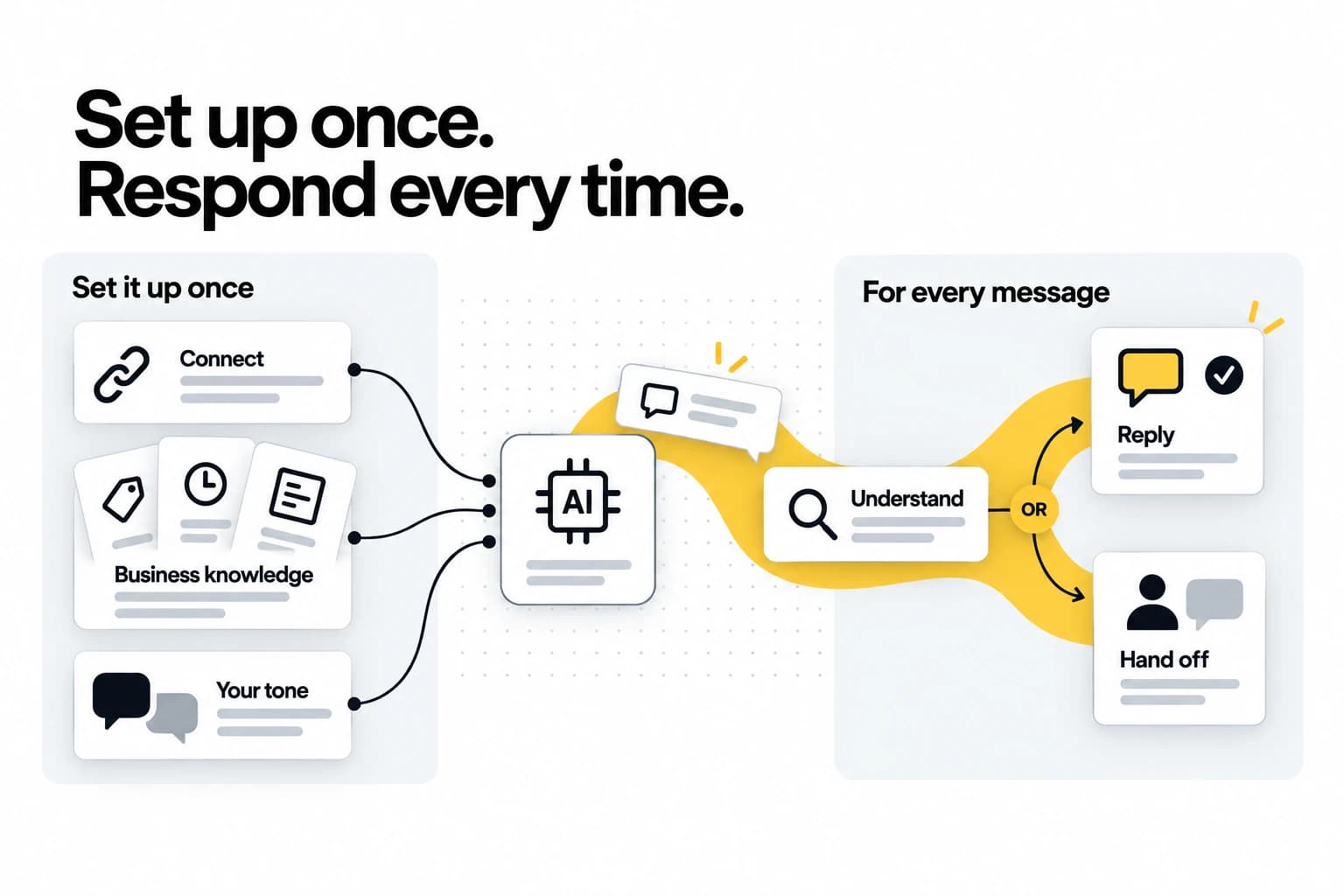
Strip away the jargon and an AI WhatsApp auto-reply system does five things in sequence:
- It connects to WhatsApp through the official Business API. This matters more than it sounds — see the red flags section. The official API is the only sanctioned, ban-safe way for software to send and receive WhatsApp messages on your behalf.
- It learns your business. Before it answers anything, you feed it your real information: services, prices, hours, policies, common questions, maybe your website and a few documents. This becomes the knowledge it answers from.
- It reads each incoming message and works out intent. Not keyword-matching — actual understanding. It figures out what the customer wants even if they phrase it oddly, mix languages, or ramble.
- It generates a reply in your tone using your information, and sends it — ideally within seconds, while the customer is still on their phone.
- It decides whether it can handle this alone or should escalate. Routine question → it answers. Complex, sensitive, or uncertain → it hands the conversation to a human with the full context attached.
That fifth step is the one that separates a tool that helps from one that quietly causes problems. Hold that thought for the buyer's checklist.
Why speed is the whole game
There's a mechanic in WhatsApp's own rules that makes instant replies matter even more than you'd think.
When a customer messages you first, a 24-hour window opens in which you can reply freely, with any message you like. Since 1 October 2026, once a number's 1,000 free replies for the month are used, each one carries a small per-message fee, at Meta's cheap utility rate (what changed, and what it costs). Let the window close and the only way back in is a pre-approved template, and a marketing template costs several times as much as a reply.
So an AI that answers instantly does two things at once: it catches the customer while they're still paying attention (the difference between a booking and a missed lead), and it keeps the conversation inside the window, where replies are free-form and cheap. A human checking the inbox twice a day loses on both counts. The faster the first reply, the more conversations stay both won and cheap.
What to look for — the buyer's checklist
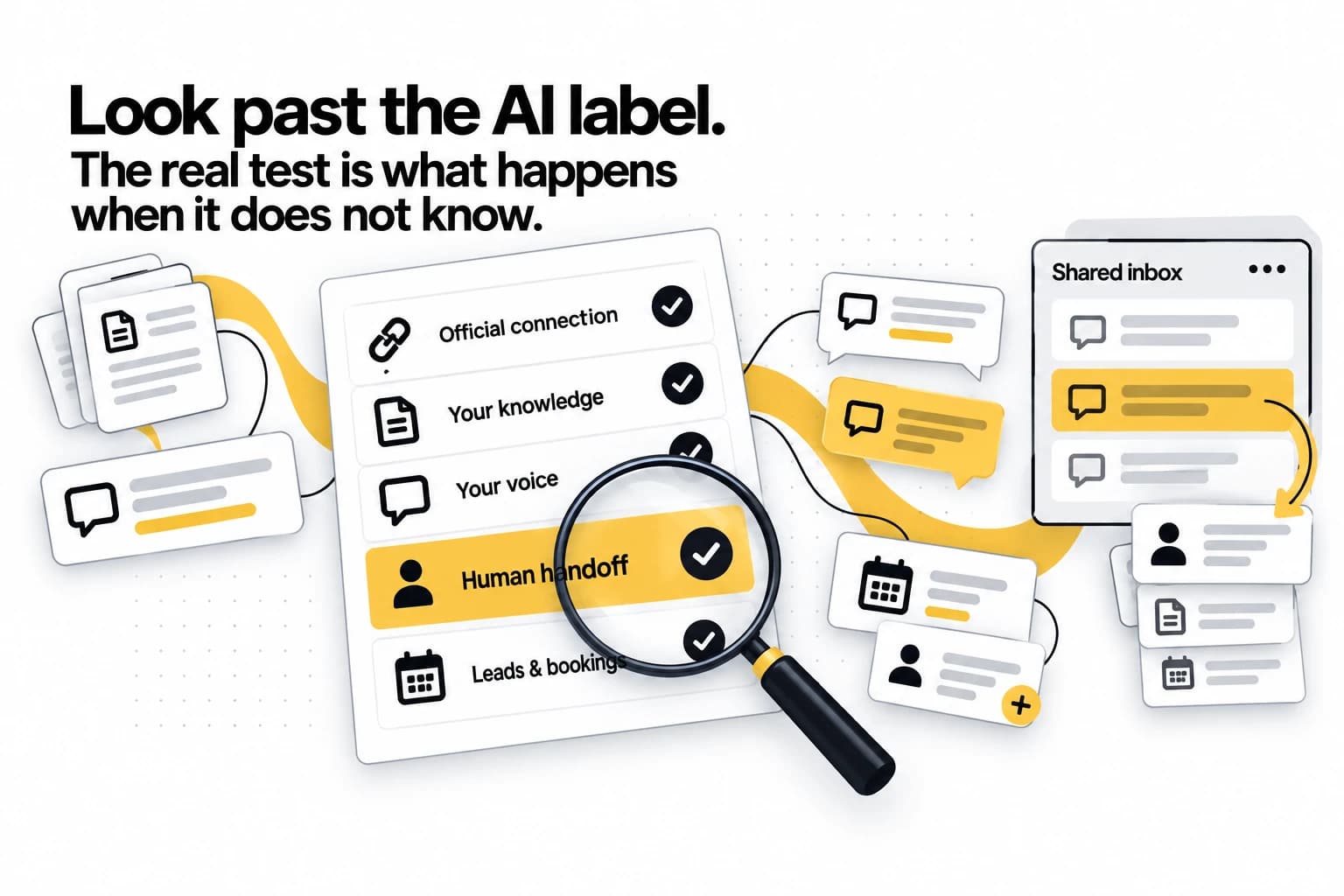
This is the part to screenshot. When you evaluate any AI WhatsApp auto-reply tool, run it against these:
1. It uses the official WhatsApp Business API
Non-negotiable. Tools built on the unofficial API (or that ask you to scan a QR code to hijack your personal WhatsApp) violate WhatsApp's terms and routinely get numbers banned. Ask directly: "Is this the official Business API?" If the answer is vague, walk away.
2. It trains on your content, not generic answers
The tool should answer using your prices, your policies, your services — not bland generic responses. If the demo can't answer a question specific to your business after you've given it your info, it won't on day one either.
3. It sounds like you
Generic bots sound like phone-tree menus. A good tool learns your tone and replies the way a sharp member of your team would. Ask to see real replies, not a polished scripted demo.
4. It knows when to escalate
The single most important capability. When the AI is unsure, it should say "let me check with a colleague" and hand off — not invent an answer. A confident wrong reply about your price or policy is worse than no reply. Ask: "What does it do when it doesn't know?" The right answer is "it escalates to a human."
5. It has a real inbox with human handoff
You and your team need somewhere to see every conversation, jump in, and take over cleanly when the AI hands off. An auto-reply tool with no shared inbox is half a product.
6. It speaks your customers' languages
Your customers won't all write in English. A good AI detects the language of each message and replies in that same language automatically — no per-language setup, and no need to staff for it.
7. It does more than answer — it captures and books
The best tools qualify leads (budget, timeline, what they need) and send a booking page that only offers the times you actually have free. Answering questions is table stakes; turning conversations into leads and bookings is the actual value.
8. Its pricing is transparent
You'll pay a platform fee plus Meta's message fees. Make sure the provider is upfront about both, and check whether they mark up Meta's fees or pass them through at cost.
Red flags
If you see these, keep looking:
- "Just scan this QR code with your personal WhatsApp." Unofficial, against the rules, ban risk.
- It always has an answer. A tool that never says "let me check" is a tool that hallucinates.
- Replies sound generic in the demo. They won't magically improve in production.
- No shared inbox or handoff. You'll be locked out of your own conversations.
- Vague pricing. If they can't break the cost into platform fee + Meta fees, expect surprises.
Setting it up so it actually works
The setup is short, but skipping it is how people end up with a bot that embarrasses them:
- Connect your number to the official Business API (a good provider does the Meta paperwork with you).
- Feed it your real information — services, prices, hours, policies, top questions.
- Review a handful of replies before you trust it live. Send it your most common questions; correct anything off.
- Set your escalation rules — decide what always goes to a human (big quotes, complaints, anyone asking for a specific person).
Twenty minutes here is the difference between a reliable around-the-clock teammate and a liability.
The bottom line
Modern AI auto-reply isn't the away-message of old — it understands what customers actually ask, answers in your voice from your real information, captures leads and sends your booking page, and (if it's any good) knows when to bring in a human. Speed is the whole game: instant replies win more leads and keep more conversations inside WhatsApp's free window.
When you're choosing a tool, the checklist above is what separates the real thing from a keyword bot with an "AI" sticker — and the one item that matters most is whether it escalates honestly instead of bluffing.
That's exactly how we built TapBrig WhatsApp: official Business API, trained on your business, answering in your voice, escalating cleanly when it should — with the inbox and lead capture built in. See pricing, or talk to us and we'll set it up against your own questions.
See it answer your customers for a week
One AI brain across WhatsApp, web chat and digital name cards — capturing leads and sending your booking page, 24/7. Every feature, 500 AI credits, no credit card.
More from the blog
WhatsApp Automation for Salons in Malaysia: A How-To
Your WhatsApp fills up while your hands are full. Here's how to set up automation that answers from your own price list, sends your booking page and hands the tricky chats to your team, in five steps.
ReadWhatsApp Chatbot Malaysia: A Buyer's Guide (2026)
On a sales page every WhatsApp chatbot looks the same. These six questions show which ones will serve Malaysian customers well, and what you'll actually pay each month.
ReadWhatsApp Charges for Replies Since 1 October 2026
Replying to customers inside their 24-hour window was free from November 2024 until 1 October 2026. Here's what it costs now — worked through on a real monthly bill — and why one marketing broadcast still costs more than a month of conversations.
Read