Can AI Really Handle Your Business WhatsApp? An Honest Look at What It Can and Can't Do
Will it sound like a robot? Will it embarrass me in front of a customer? Here's a straight, no-hype look at what AI on your WhatsApp actually does well — and what it shouldn't touch.
In this guide7 sections
Every business owner we talk to asks some version of the same question before they let AI near their WhatsApp: will it sound like a robot, and will it embarrass me in front of a customer?
It is the right question. Your WhatsApp is not a side channel — for a lot of businesses it is now the main way customers reach you, and a clumsy automated reply can cost you a sale or a reputation faster than no reply at all.
So here is a straight answer, with none of the hype: AI is genuinely excellent at some parts of running a business WhatsApp, genuinely bad at others, and the entire game is knowing where that line sits. Let's walk through both sides honestly.
What AI handles well (and it's most of the inbox)
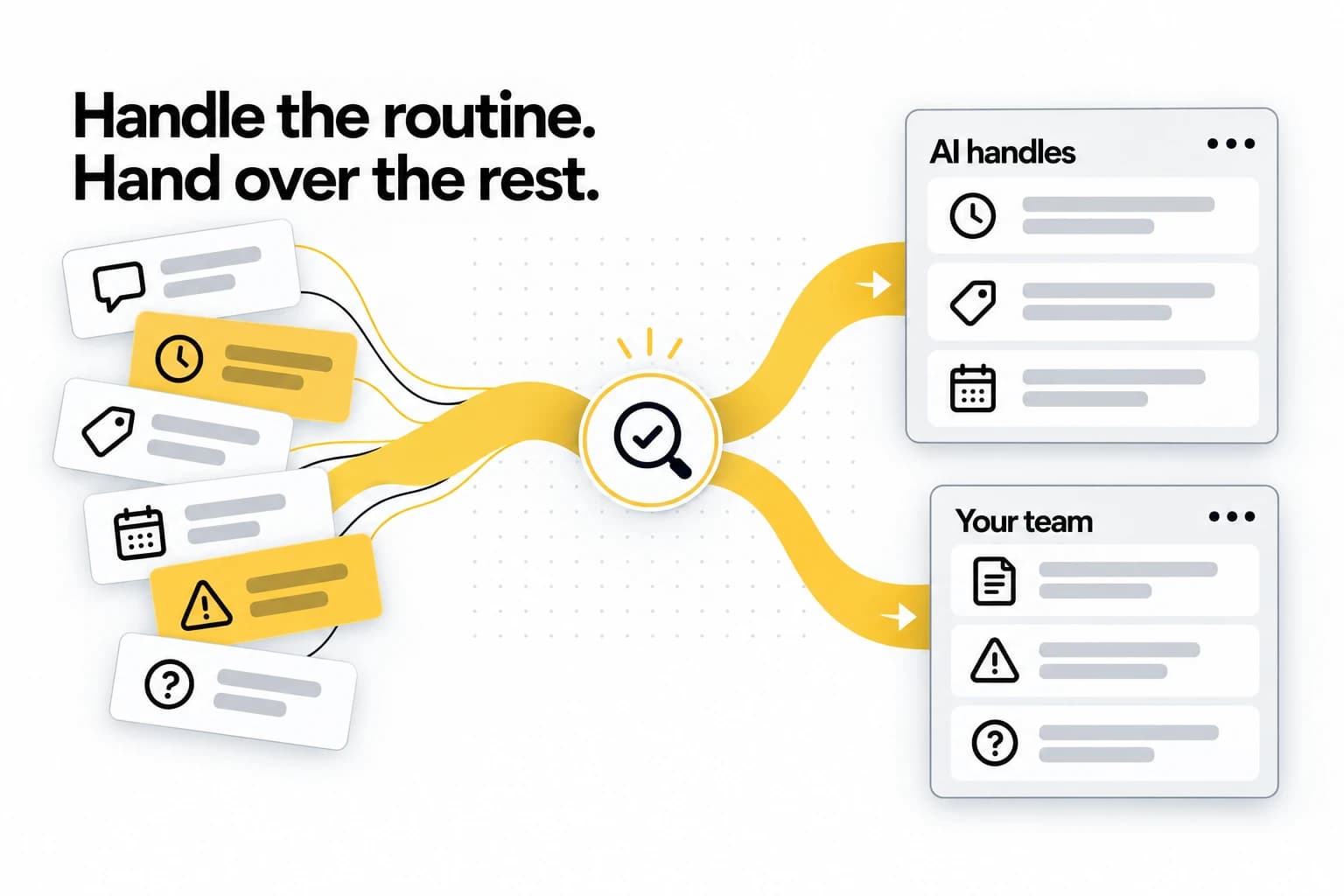
If you watch what actually lands in a typical SMB's WhatsApp over a week, the overwhelming majority of it is repetitive. The same handful of questions, over and over, often after hours. This is exactly where AI shines.
Answering the questions you've answered a thousand times. "What time do you close?" "Do you have parking?" "How much for a consultation?" "Are you open on public holidays?" An AI that has been given your real information answers these instantly, correctly, every time — without you reaching for your phone during dinner.
Replying in seconds, 24/7. This is the part that quietly matters most. Most enquiries arrive when you are busy, asleep, or with another customer. A customer who messages at 9pm and hears back at 9:01pm feels looked-after; one who waits until 10am the next morning has often already messaged your competitor. AI does not get tired, distracted, or go home at six.
Qualifying leads before you spend time on them. A good AI can ask the obvious follow-ups — budget, timeline, what exactly they need — so that by the time a real enquiry reaches you, it is already sorted into "worth a call" or "not a fit." You stop spending your evening typing "hi, thanks for reaching out, could you tell me a bit more about…" for the hundredth time.
Getting people booked. The moment someone asks for a time, the AI sends your booking page, so they pick a slot your calendar actually has free — the slot comes from the calendar, never from a guess, and that is what makes it reliable. For salons, clinics, tuition centres, and anyone who runs on appointments, this alone often justifies the whole thing.
Speaking your customer's language. Your customers will not all write in English. A capable AI detects the language of each message and replies in that same language automatically — no per-language setup, and no multilingual team to hire.
Following up without forgetting. The polite "just checking in" message two days later that you always mean to send and never do. When a promising enquiry goes quiet, the AI drafts it for you, so all you do is press send.
Add these up and you are looking at something like 70–80% of a typical SMB's WhatsApp volume that AI can handle cleanly. That is not a marketing number — it is just what happens when most of your inbox is the same questions on repeat.
What AI should not do on its own
Here is the part the over-eager sales pitches skip. There are situations where handing the conversation to AI alone is a mistake, and a tool that pretends otherwise is one to avoid.
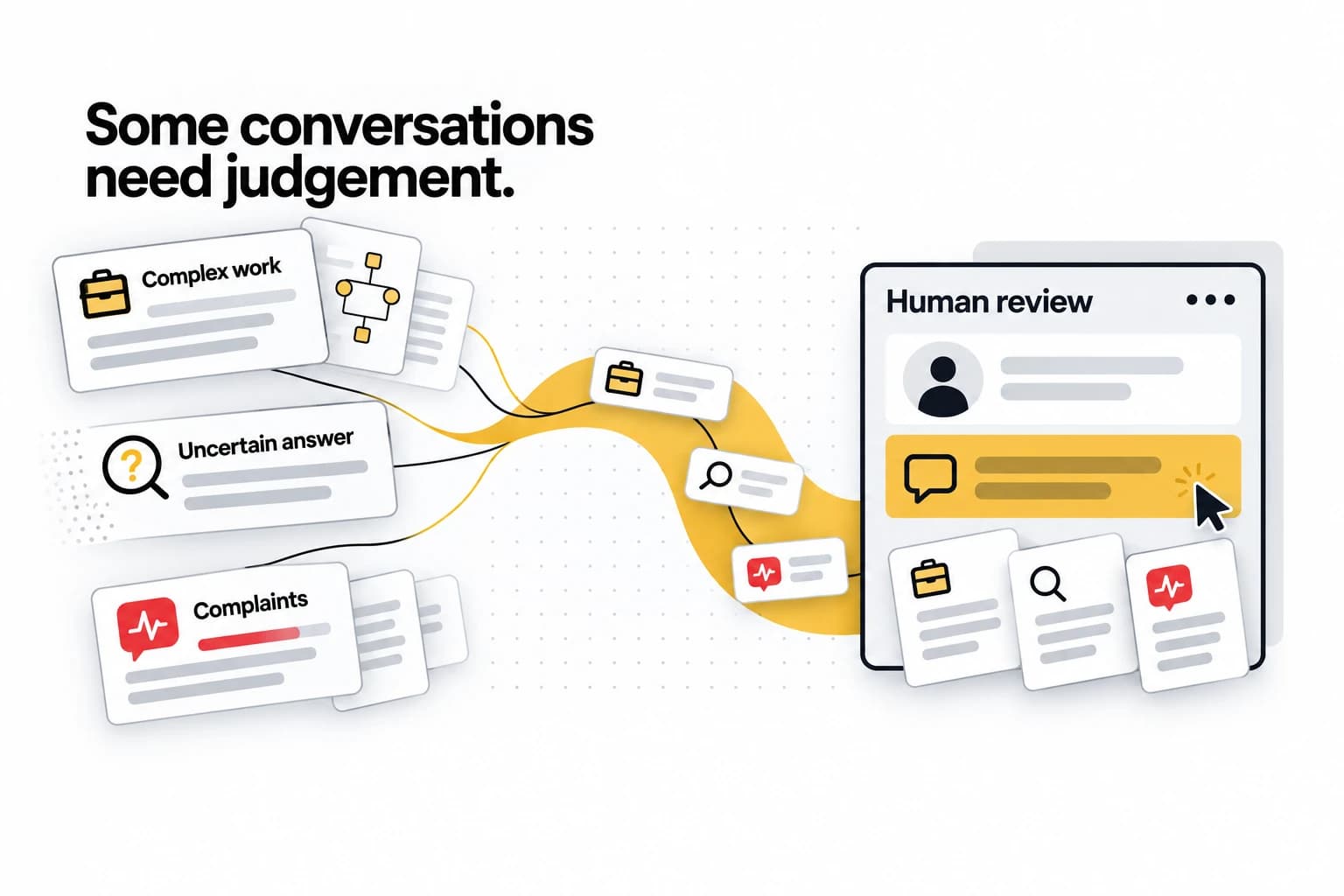
Complex or high-stakes negotiation. A bespoke quote with a dozen variables, a big contract, a custom project scope — these need judgement, and often a human relationship. AI can gather the details and tee it up; it should not be closing your largest deals unsupervised.
Emotional situations and complaints. An upset customer does not want a perfectly composed automated paragraph. They want to feel heard by a person. AI can recognise the situation and flag it; the resolution belongs to a human.
Anything it isn't sure about. This is the big one. A bad AI, when it does not know, makes something up — and a confident wrong answer about your prices, your policy, or your availability is worse than silence. A good AI does the opposite: it recognises the edge of its knowledge and says, in effect, "let me get a colleague" rather than bluffing.
That last point is not a limitation to tolerate — it is the single most important thing to look for.
The real dividing line: knowing when to ask for a human
The difference between AI that helps your business and AI that quietly damages it is not how clever it sounds. It is whether it knows its limits.
A well-built AI handles the routine 70–80% confidently and escalates the rest cleanly — handing the conversation to you (or your team) with the full context attached, so you pick up exactly where it left off. The customer never feels dropped. You only get pulled in for the conversations that actually need you.
A badly-built AI tries to handle everything, hallucinates when it is out of its depth, and you find out it told a customer the wrong price three days after they have gone elsewhere.
So when you evaluate any AI WhatsApp tool, the question is not "how human does it sound in the demo?" It is "what does it do when it doesn't know the answer?" If the honest answer is "it escalates to a person," you are looking at the right kind of tool. If it is "it always has an answer," run.
"But will it sound like a robot?"
This is the objection underneath all the others, so it deserves a direct answer.
Generic chatbots sound like robots because they are generic — the same stiff, corporate templates bolted onto every business. "Hello! I am a virtual assistant. Please select from the following options." Nobody talks like that, and your customers can tell in one message.
Good modern AI does not work that way. It learns your tone from your real materials and a short bit of setup, then answers in your voice — the slightly-more-articulate version of how you would reply on a good day. If your brand is warm and casual, it is warm and casual. If it is precise and formal, it matches that. The goal is not to fool anyone; it is to sound like you, consistently, even at 2am.
The test is simple: ask to see real replies, not a scripted demo. If they read like something a thoughtful member of your team would actually send, you are fine. If they read like a phone-tree menu, keep looking.
How to set it up so it actually works
AI on your WhatsApp is not magic you switch on and forget. Twenty minutes of decent setup is the difference between something that helps and something that embarrasses you.
- Feed it your real information. Your services, prices, hours, policies, the answers to your most common questions. The AI is only as good as what you give it — garbage in, confident-garbage out.
- Review a few replies before you trust it. Send it the questions you get most and read what it says back. Correct anything off. Fifteen minutes here saves you a bad customer moment later.
- Set your escalation rules. Decide what should always come to a human — big quotes, complaints, anything involving a specific person by name. Make the AI's job explicitly "handle the routine, pass me the rest."
- Lock the things it must never say. Prices you do not want quoted automatically, promises you cannot keep, topics that need you. A good tool lets you draw these lines.
Do this once and the AI stops being a gamble and starts being a reliable member of staff who happens to work around the clock.
What a week actually looks like
To make it concrete: picture a small property agency after switching on AI for their WhatsApp.
Monday night, three people message about a listing. The AI answers all three instantly with the details and the asking price, asks each their budget and viewing availability, and sends the booking page — two of them book viewings while the agent is asleep. Wednesday, a customer gets emotional about a deal that fell through; the AI recognises the tone, does not try to smooth it over with a template, and hands it straight to the agent with the history attached. Friday, someone asks a question about strata fees the AI was never told about; instead of guessing, it says it will check and passes it on.
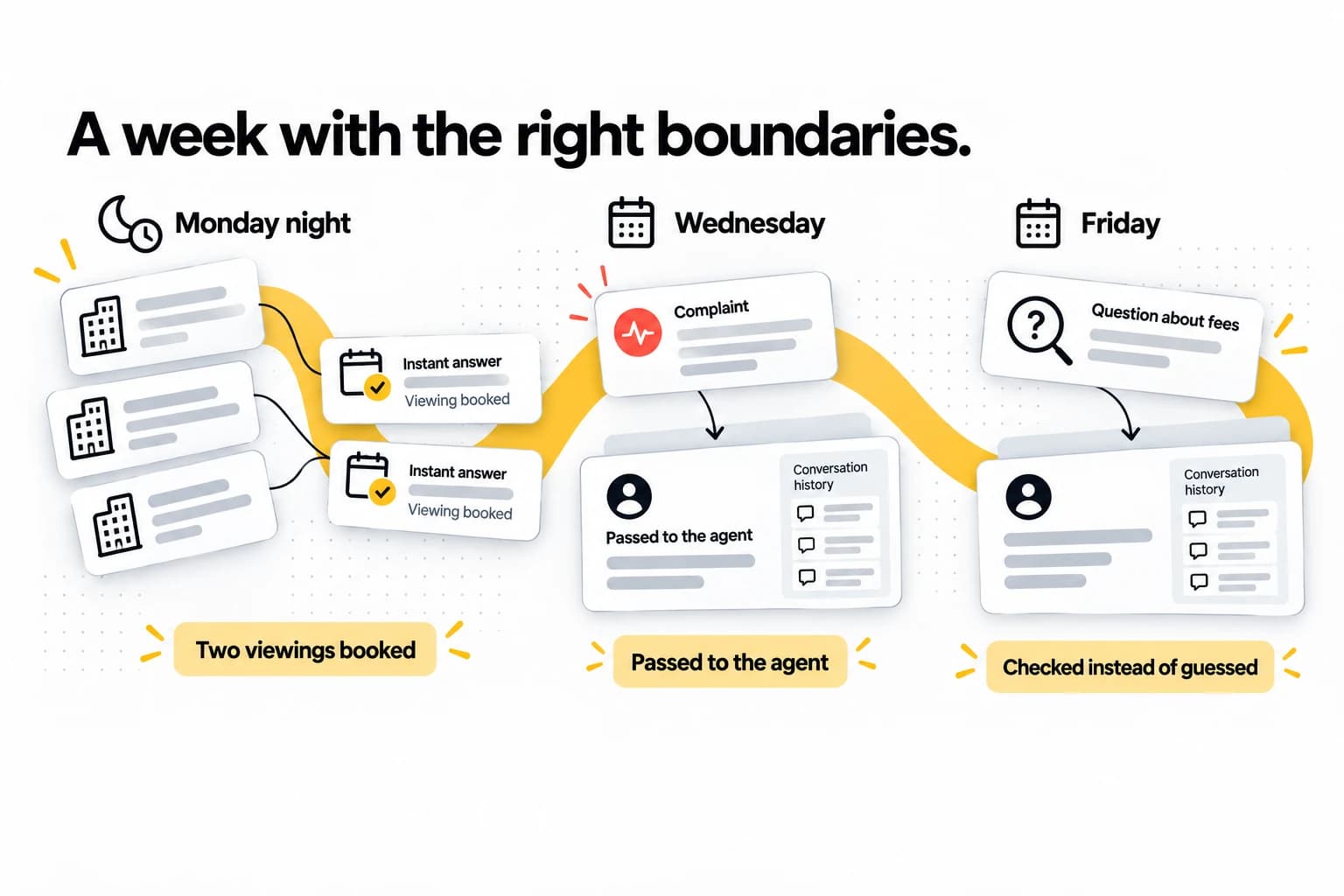
At no point did the agent lose a lead to a slow reply, and at no point did the AI bluff a customer. That is the whole point: it is not replacing the agent, it is handling the 70–80% that does not need them so they can show up sharp for the 20% that does.
The bottom line
So — can AI really handle your business WhatsApp? Yes, for most of it, genuinely well. No, not for all of it, and any tool that claims otherwise is the one to worry about.
The honest framing is this: AI is not here to replace you. It is here to handle the repetitive majority of your inbox instantly and around the clock, and to know when to step back and bring you in. Set up properly, it captures the leads you were losing to slow replies, frees your evenings, and never once makes a customer feel like they are talking to a machine — because it is answering in your voice and escalating the moment it is out of its depth.
That last quality — knowing when to ask for a human — is exactly what we obsess over at TapBrig. If you want to see what AI on your WhatsApp looks like when it is built to help rather than impress, have a look at TapBrig WhatsApp, or talk to us and we will walk you through it with your own questions.
See it answer your customers for a week
One AI brain across WhatsApp, web chat and digital name cards — capturing leads and sending your booking page, 24/7. Every feature, 500 AI credits, no credit card.
More from the blog
WhatsApp Automation for Salons in Malaysia: A How-To
Your WhatsApp fills up while your hands are full. Here's how to set up automation that answers from your own price list, sends your booking page and hands the tricky chats to your team, in five steps.
ReadWhatsApp Chatbot Malaysia: A Buyer's Guide (2026)
On a sales page every WhatsApp chatbot looks the same. These six questions show which ones will serve Malaysian customers well, and what you'll actually pay each month.
ReadWhatsApp Charges for Replies Since 1 October 2026
Replying to customers inside their 24-hour window was free from November 2024 until 1 October 2026. Here's what it costs now — worked through on a real monthly bill — and why one marketing broadcast still costs more than a month of conversations.
Read